Windows 11 26H2 Significantly Reduces Memory Usage on 8GB PCs

After upgrading an 8GB laptop to Windows 11 26H2, memory usage following a fresh restart fell from approximately 5GB to 3.3GB. A clean virtual machine configured with 8GB of RAM showed a similar improvement, dropping from 4.1GB on a year-old Windows 11 build to roughly 2.8GB–3.2GB on the latest release.
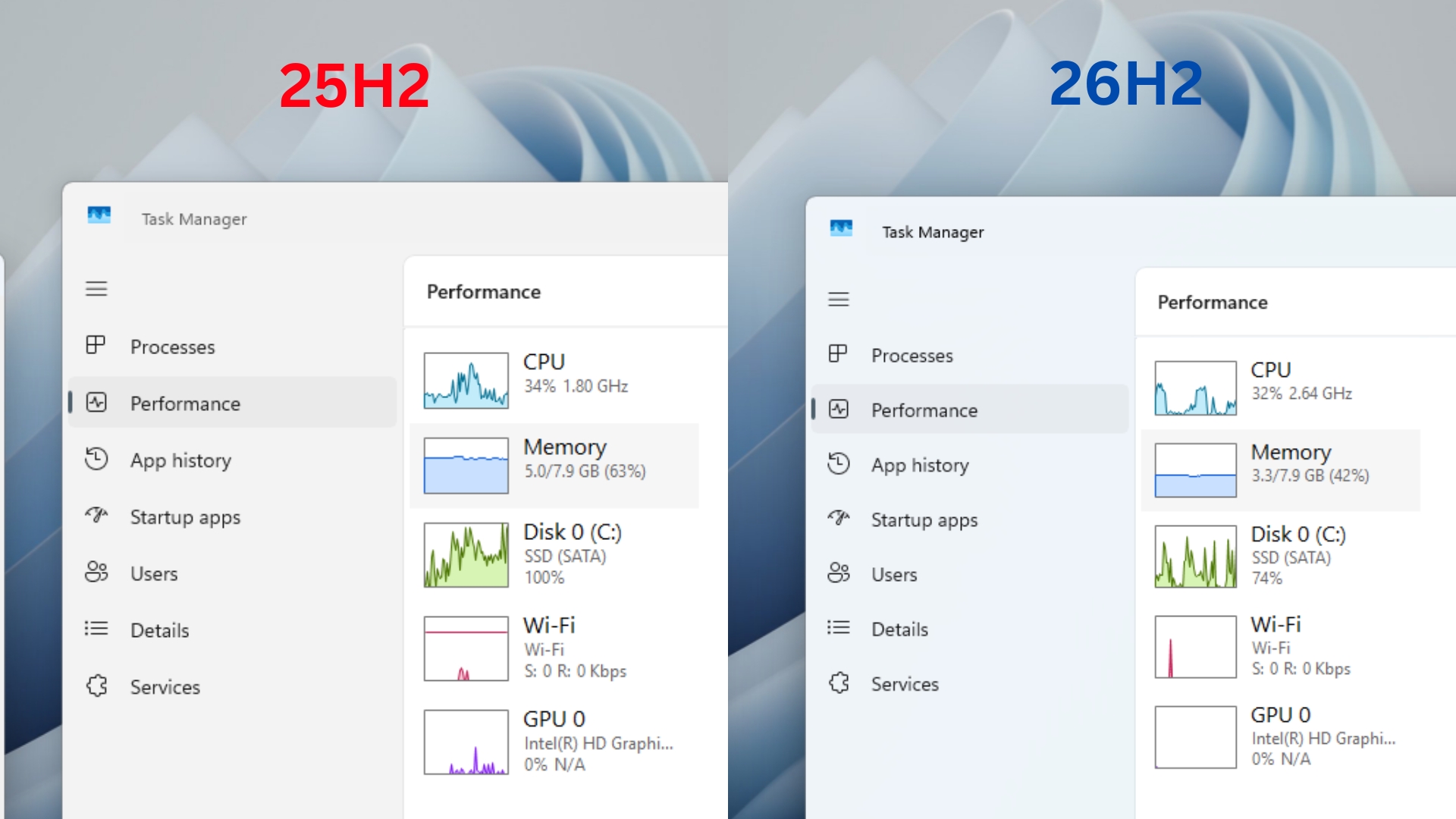
MS made memory optimization for 8GB PCs one of its Windows 11 priorities for the remainder of 2026, although it initially provided no specific figures. Since the 26H2 rollout began, some users have reported boot-time RAM reductions of 1GB to 2GB, primarily on systems with 16GB to 48GB of memory. Results have not been universal, however, as one Reddit user with an 8GB PC still reported 96% memory utilization.
Even so, testing indicates that entry-level Windows laptops can receive substantial memory benefits from Windows 11 26H2.
An 8GB Laptop Used 1.7GB Less RAM After the Windows 11 26H2 Update
The tested laptop was not a clean or lightly used system. It has 8GB of DDR4 RAM and a SATA SSD, with PyCharm, Visual Studio Code, GitHub Desktop, AutoCAD 2020, and SketchUp installed for analytics training and professional work.
Before the Update
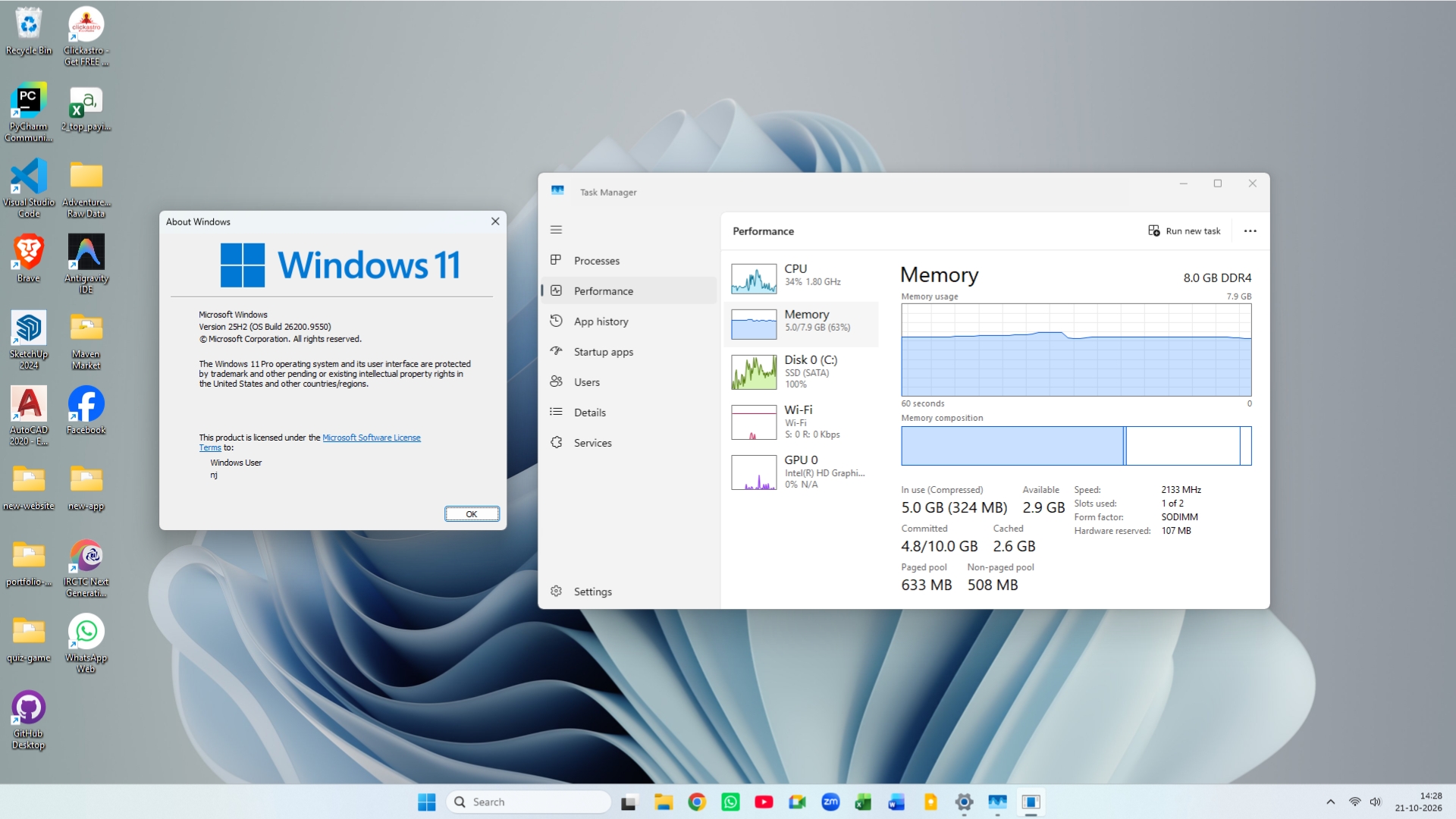
Before the upgrade, the laptop was running Windows 11 25H2, Build 26200.9550. Following a fresh restart, Task Manager showed 5GB in use out of 7.9GB of available physical memory, and consumption remained near that level.
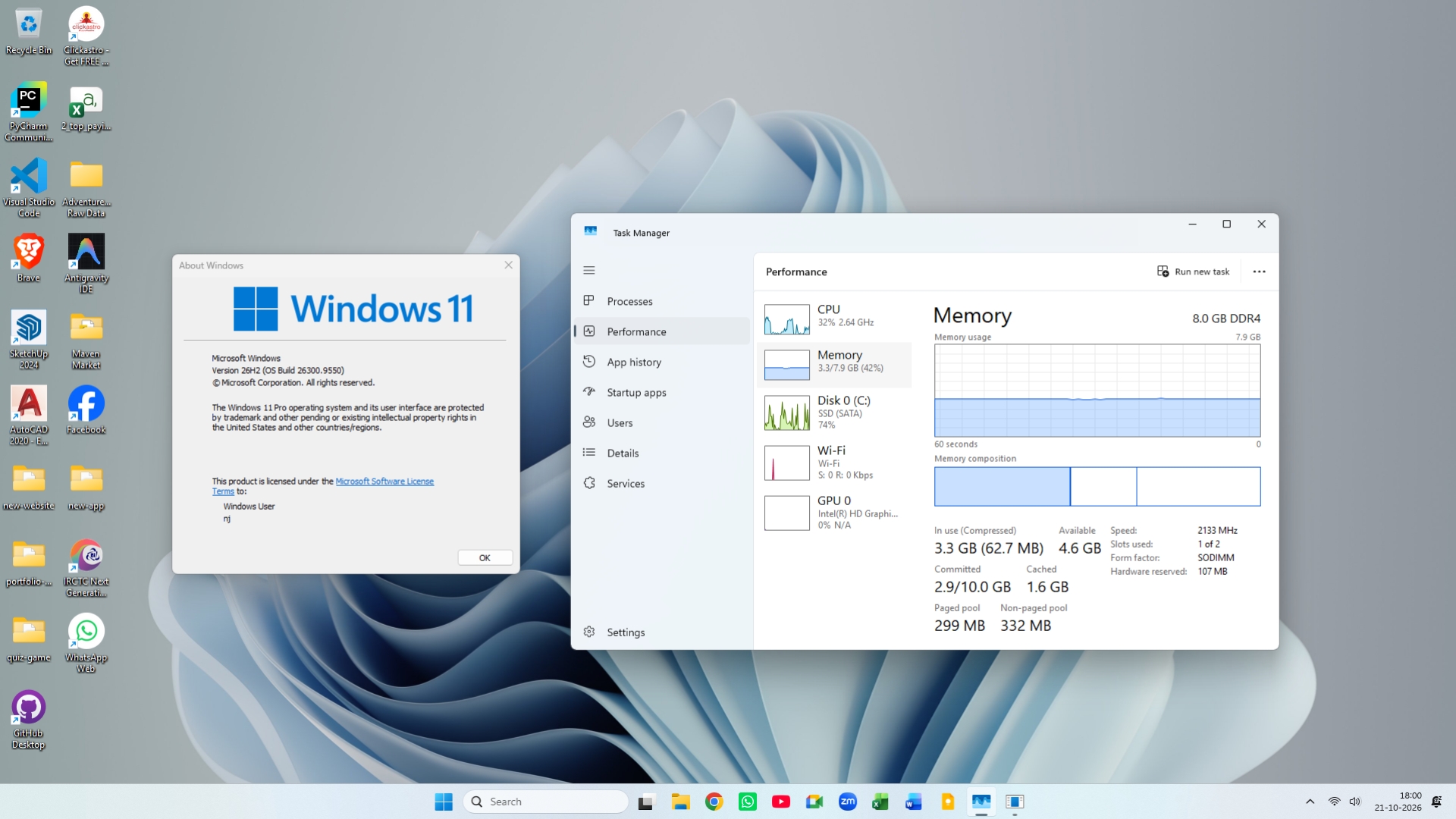
The September 2026 optional update, which includes the same feature set as the October 2026 Patch Tuesday update, was then installed. This moved the device to Windows 11 26H2, Build 26300.9550.
After the Update
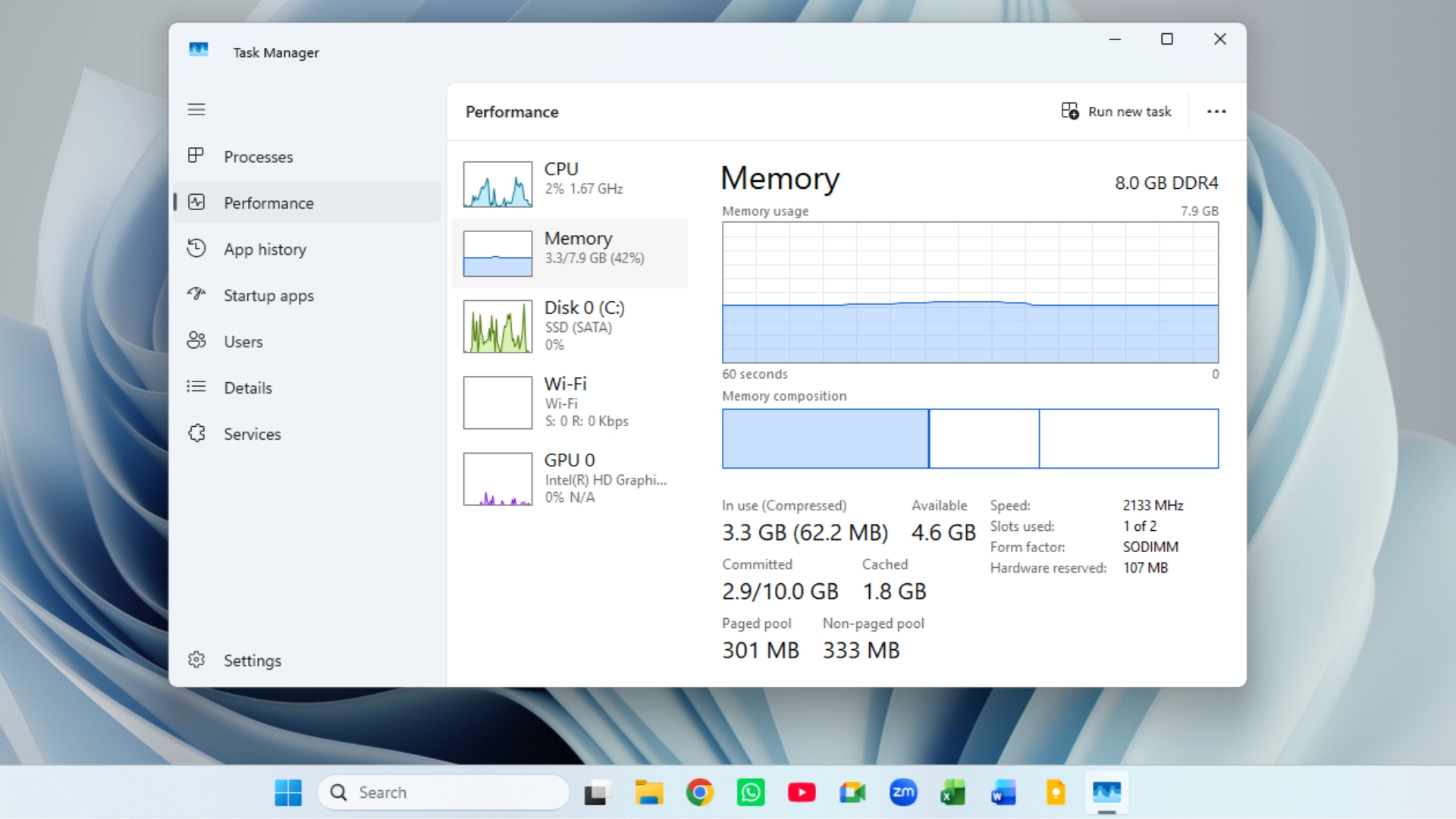
After another restart, memory usage dropped to 3.3GB, or 42%, leaving 4.6GB available. That represents a meaningful improvement for a PC with only 8GB of RAM. Compressed memory also declined from 324MB to 62.7MB, indicating that Windows needed to compress far less data after booting.
No formal benchmark was performed, but switching between Chrome tabs felt slightly faster after the update. This is an observation from a single PC, so results may differ across devices.
Testing a Clean 8GB Virtual Machine
To reduce the influence of previously installed applications, an older Windows 11 25H2 ISO was used to create a new virtual machine with 8GB of RAM. The VM ran Build 26200.6899 from October 2025. Immediately after a clean installation, with no additional applications installed, Task Manager reported 4.1GB of memory in use.
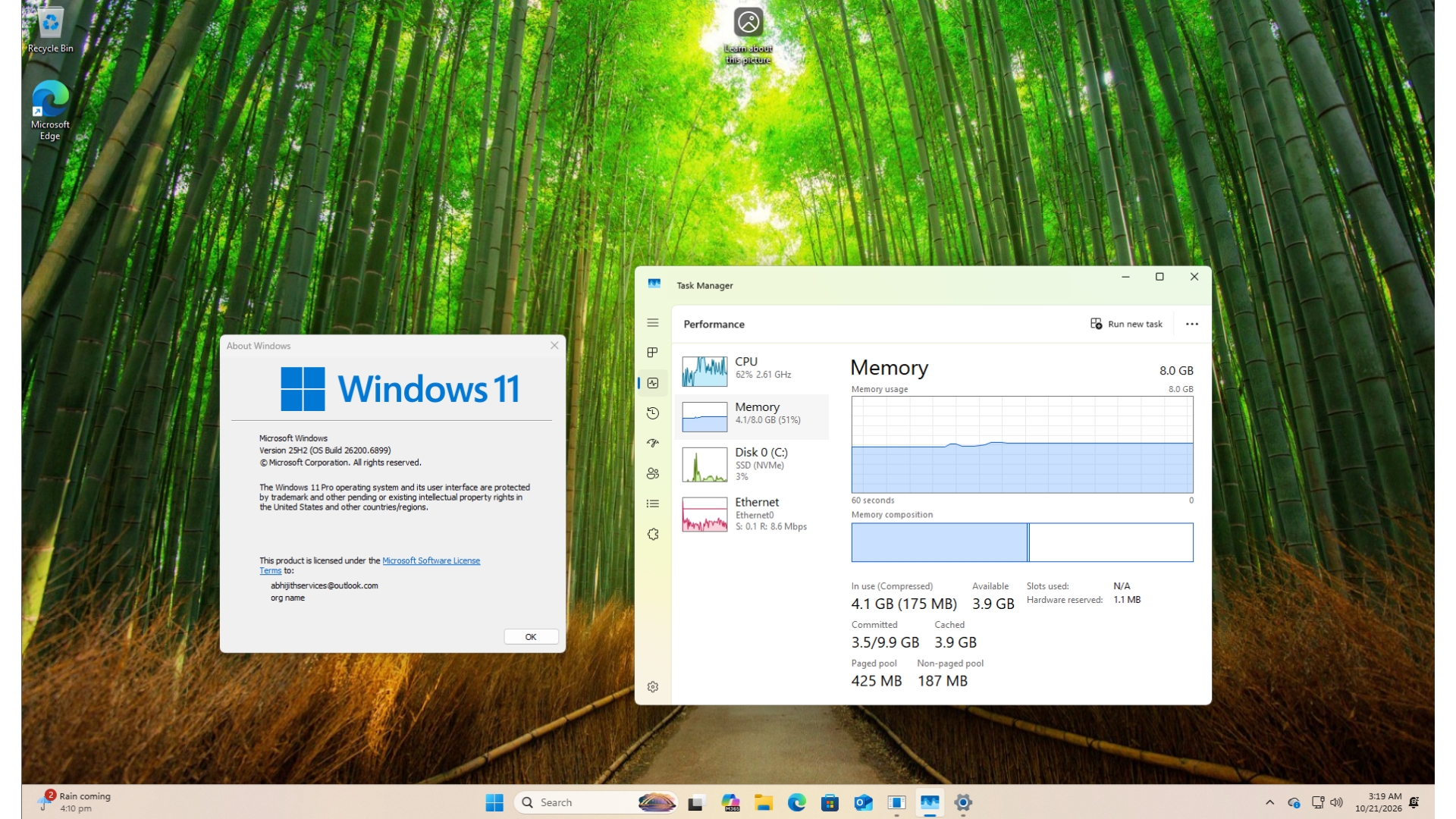
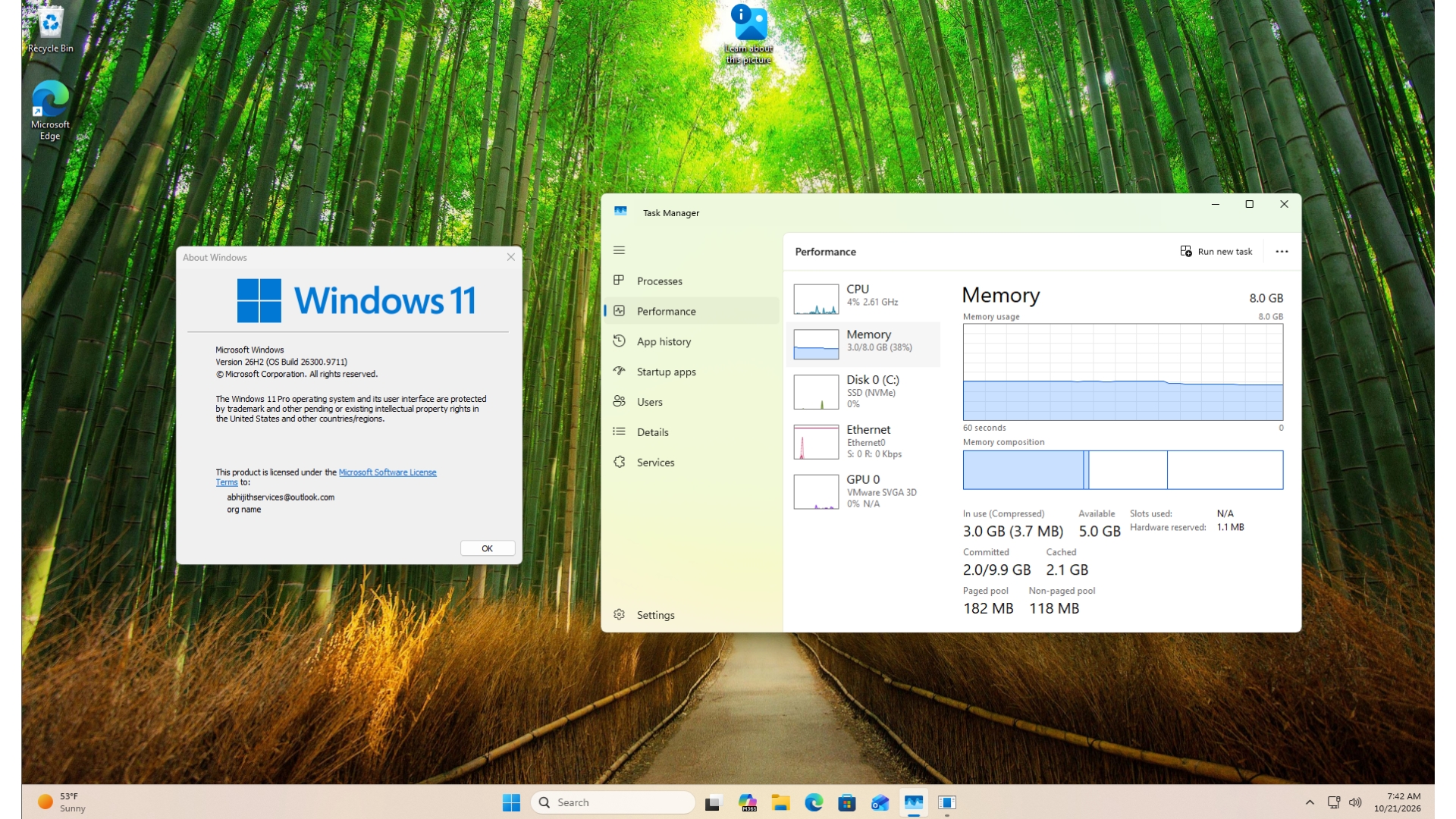
The virtual machine was then updated to Windows 11 26H2, Build 26300.9711, using the October 2026 update. After restarting, memory usage fell to 2.8GB before gradually rising to around 3.2GB.
There was no noticeable performance difference, which is unsurprising for a virtual machine without installed applications. The VM also received an entire year of updates at once, so Windows 11 26H2 alone cannot be credited for the full reduction.
MS Says Windows 11 Can Keep Up to 2GB More Active Data in Memory
On October 15, Navjot Virk, MS’s corporate vice president of Windows experiences, provided additional details about the company’s memory-efficiency work.
According to Virk, Windows can now retain up to 2GB more active data in memory instead of moving it to slower storage. On PCs with 8GB of RAM or less, Widgets load only when opened, which MS says makes more than 200MB available for other tasks.
MS also claims that Windows 11 can be up to 20% more responsive. However, this figure compares Windows 11 26H2 Build 26300.9550 with the older Windows 11 25H2 Build 26200.7628.
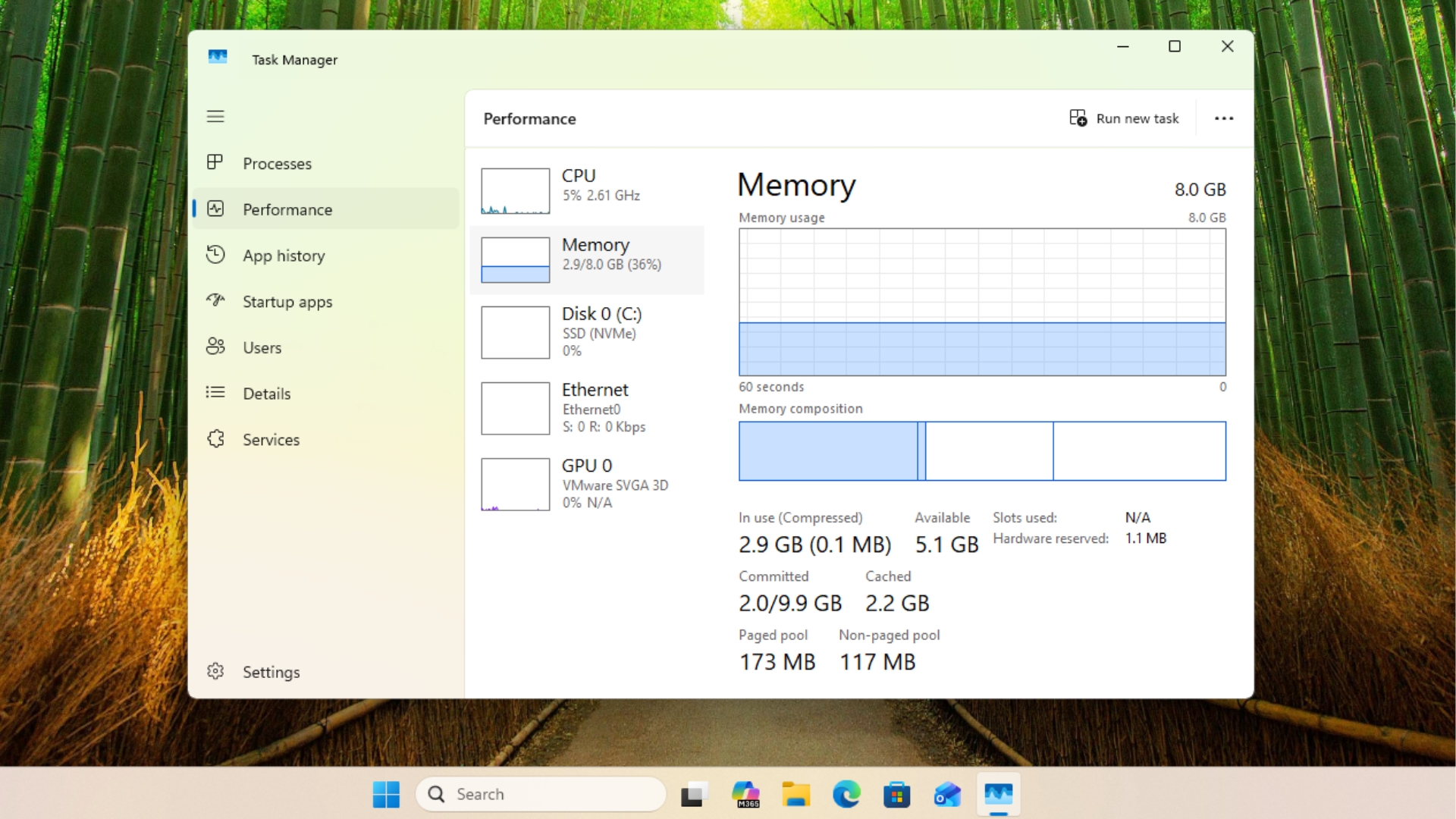
These figures do not directly correspond to the amount shown in Task Manager after a restart. The 2GB figure refers to how much more active data Windows can retain in faster memory, while the 200MB reduction specifically comes from changes to Widgets. Because the clean virtual machine showed a reduction of approximately 1.3GB, the improvement clearly extends beyond the Widgets optimization.
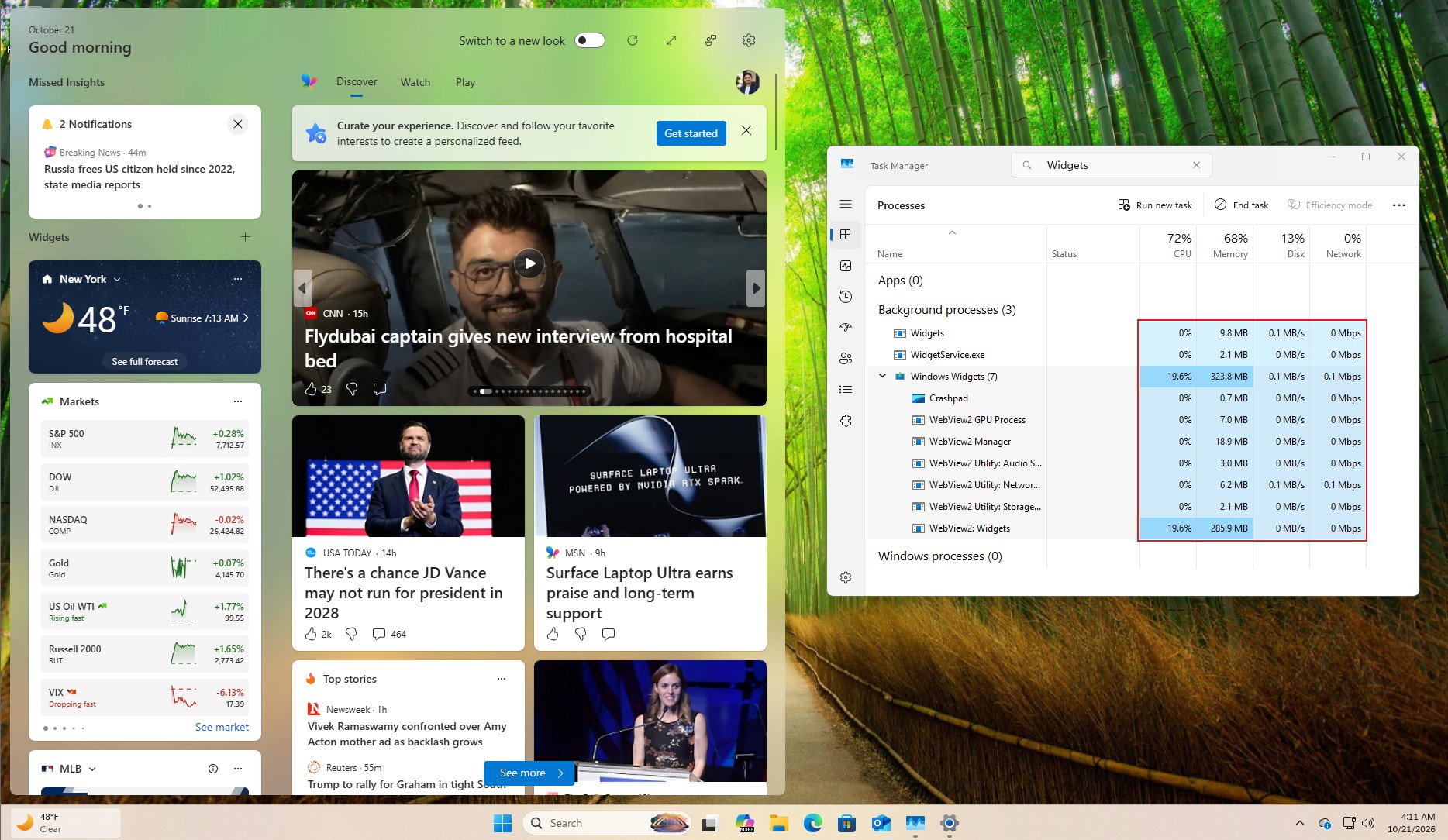
MS separated Widgets from the Discover feed, preventing the MSN feed from loading in the background and accounting for the estimated 200MB saving. If the Discover feed is opened, however, memory usage gradually returns toward its previous level.

Widgets could potentially consume even fewer CPU and memory resources if they used WinUI instead of WebView2. A native implementation would therefore be a welcome future improvement.
MS previously highlighted several related changes, including a more efficient memory allocator, WinUI 3 optimizations designed to reduce application memory usage, and leaner Chromium and WebView2 components within Windows.
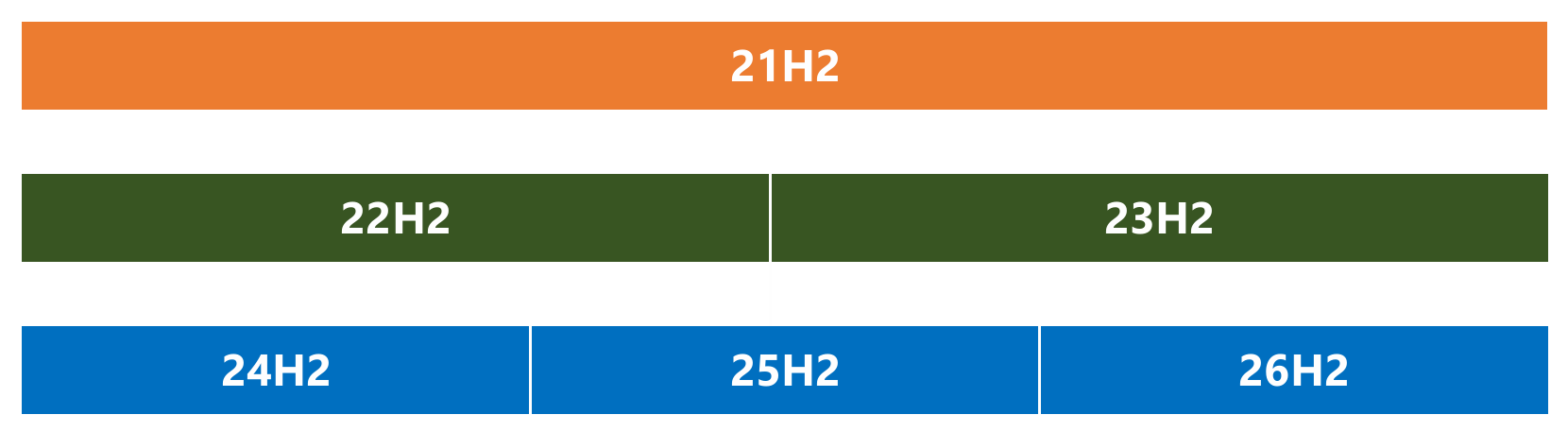
Because Windows 11 26H2 is an enablement package that shares its underlying code with versions 24H2 and 25H2, these optimizations arrived gradually through several months of updates. Version 26H2 is largely the point at which their effects became more noticeable. On a separate laptop with 16GB of RAM, post-restart memory usage decreased by as much as 2GB after installing 26H2.
8GB Laptops Are Returning, but Windows 11 Still Needs Further Optimization
Windows executive Pavan Davuluri has explained why memory efficiency has become a renewed priority for MS. He described memory as a major industry concern, particularly as computer memory costs continue to rise.
Higher memory prices have brought 8GB laptops back to retail shelves. MS’s Surface Laptop 13 now starts with 8GB of RAM at $949, and the company has removed support documentation that previously recommended 32GB for gaming.
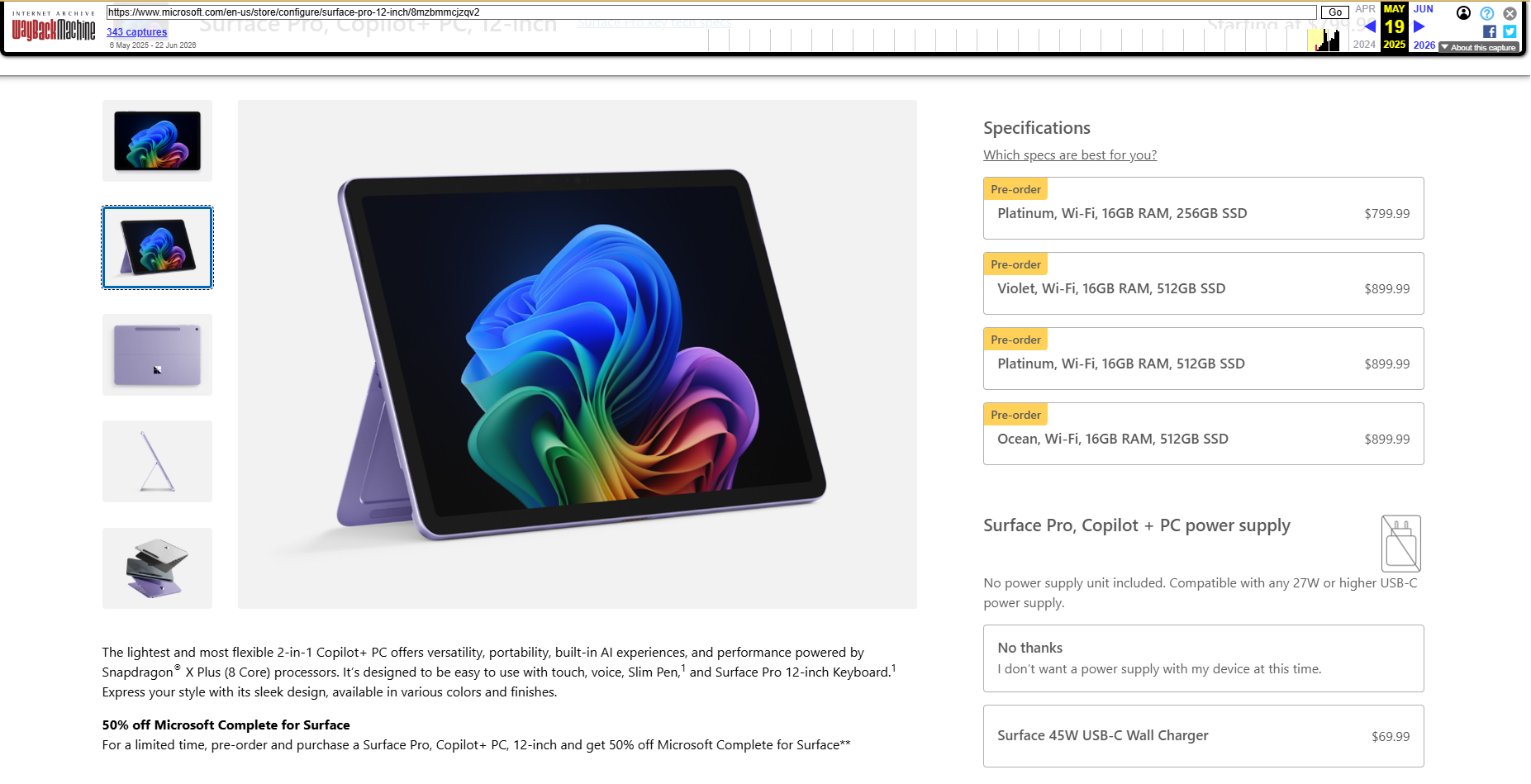
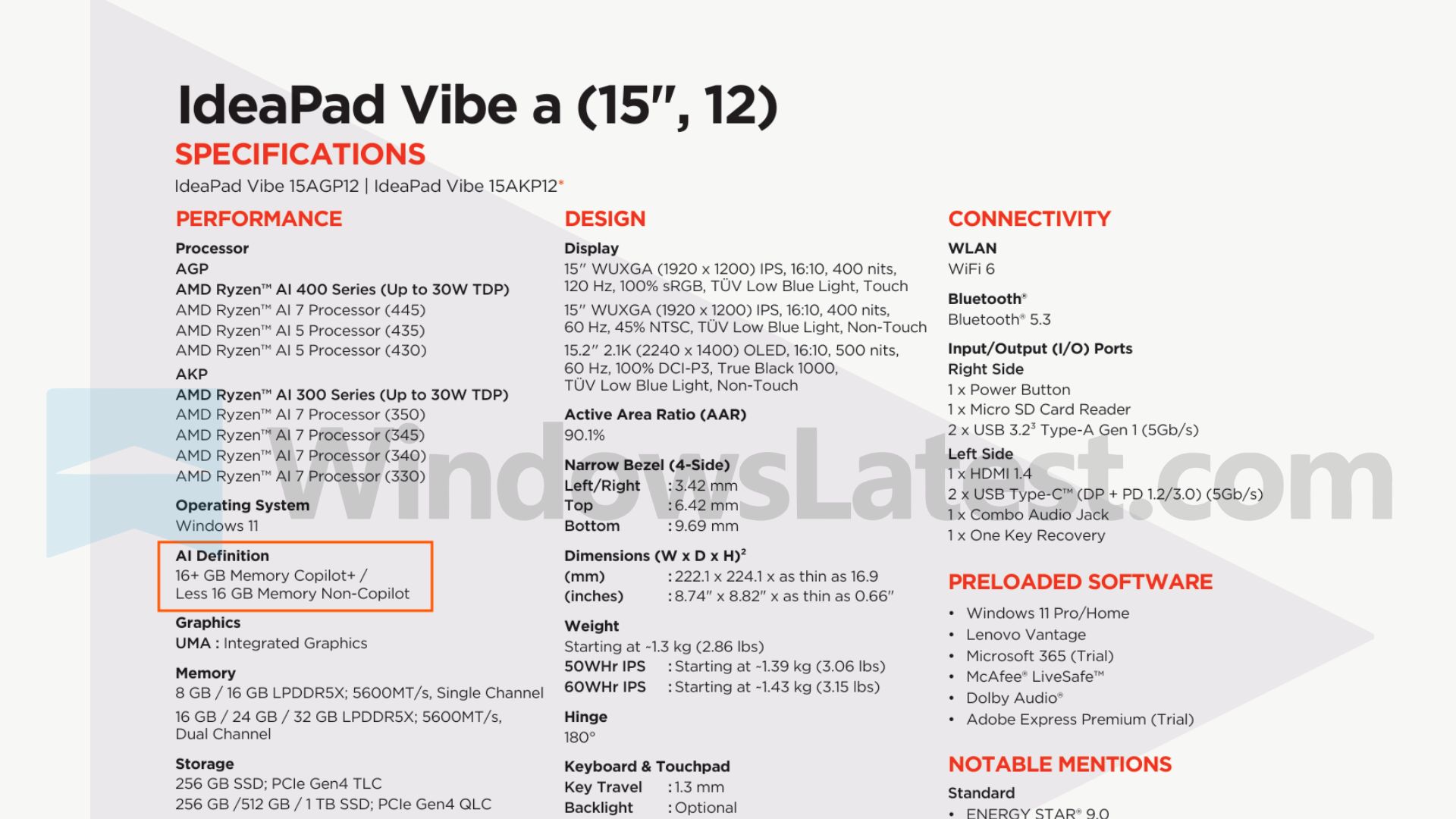
Even Snapdragon X laptops, originally introduced as 16GB Copilot+ PCs in 2024, are now available with half that memory. One example is the HP OmniBook 3, listed by Best Buy at $600 with 8GB of RAM. Lenovo is also preparing 8GB IdeaPad models that cannot use the Copilot+ designation.
This trend is unfavorable for buyers, but it would be even more problematic if Windows 11 continued consuming around 5GB of memory while idle on these lower-capacity systems.
Ironically, the memory shortage is partly driven by the expansion of AI data centers, an area in which MS is heavily involved. Indirectly, the pressure created by the AI boom has at least encouraged the development of a leaner Windows 11 experience.
MS delivered a visible reduction in memory usage on both a heavily used laptop and a clean virtual machine. Nevertheless, a lower number in Task Manager is only part of the challenge. PCs with 8GB of RAM must also remain responsive when users open Chrome, Teams, and multiple productivity applications.