
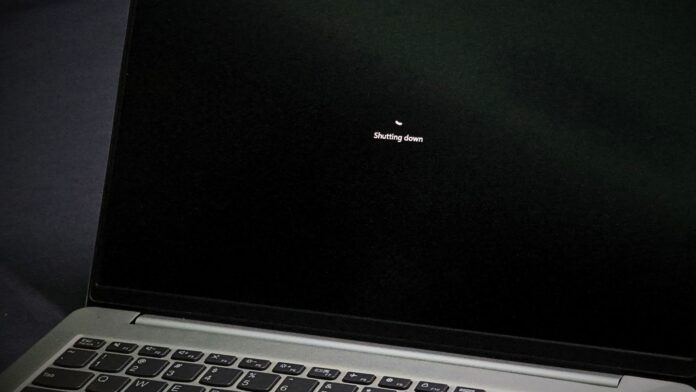
When a Windows 11 PC freezes and the user holds down the power button to force it off, the operating system may use the final seconds before shutdown to record what went wrong. About eight seconds into the press, the kernel attempts to capture an emergency crash dump. Windows may upload that dump to MS’s Windows Error Reporting service after the next startup, depending on the device’s diagnostic data settings.
MS refers to these incidents internally as long power button hold (LPBH) failures. Cases involving a completely black display are assigned to a dedicated virtual team that includes longtime MS engineer Raymond Chen, who has explained how this power-button behavior works.
Windows 11 Begins Capturing a Kernel Dump After Eight Seconds
If the power button is held for 12 seconds, the hardware may shut down the computer without notifying Windows. Four seconds before that point, the Windows kernel recognizes that the user is attempting a forced power-off and quickly starts creating a kernel dump. However, four seconds may not always be enough, so the resulting dump can be incomplete.
The 12-second shutdown period is not universal. MS’s debugger documentation states that firmware usually performs a hard power-off after approximately 10 seconds, while some ARM64 laptops may shut down sooner. MS’s Event ID 41 guidance also discusses forced shutdowns caused by holding the button for at least four seconds. If a laptop cuts power after only five seconds, Windows has no meaningful opportunity to create a dump.
Windows also records whether every pixel on the display is black. These dumps are labeled black screen LPBH and reviewed by the relevant virtual team. Potential causes include a malfunctioning graphics driver, the desktop compositor sending black pixels to a functioning driver, or a stalled process preventing anything from being drawn on the screen.
A black screen is also one of the most common situations in which users resort to holding the power button.
Does Windows 11 Automatically Send the Crash Dump to MS?
Whether a crash dump is uploaded depends on the device’s diagnostic data configuration. According to MS’s privacy documentation, Required diagnostic data informs the company that a crash dump file was created. However, the dump itself is not collected without additional permission, such as enabling Optional diagnostic data.
The long power-button press can still be reported. MS’s list of required diagnostic events includes a LongPowerButtonPressDetected field, which identifies whether the user was pressing and holding the power button.
Crash-related diagnostic data may raise privacy concerns because MS states that the memory captured during a crash can unintentionally contain portions of a file that was in use when the problem occurred. MS has not specified exactly what an LPBH dump contains.
To review the relevant setting, open Settings > Privacy & security > Diagnostics & feedback, then expand Diagnostic data. Disabling Send optional diagnostic data removes the primary permission MS identifies for collecting crash dumps. Windows does not provide a separate switch specifically for power-button dumps. The same setting also limits information collected by Windows 11’s GDID tracker.
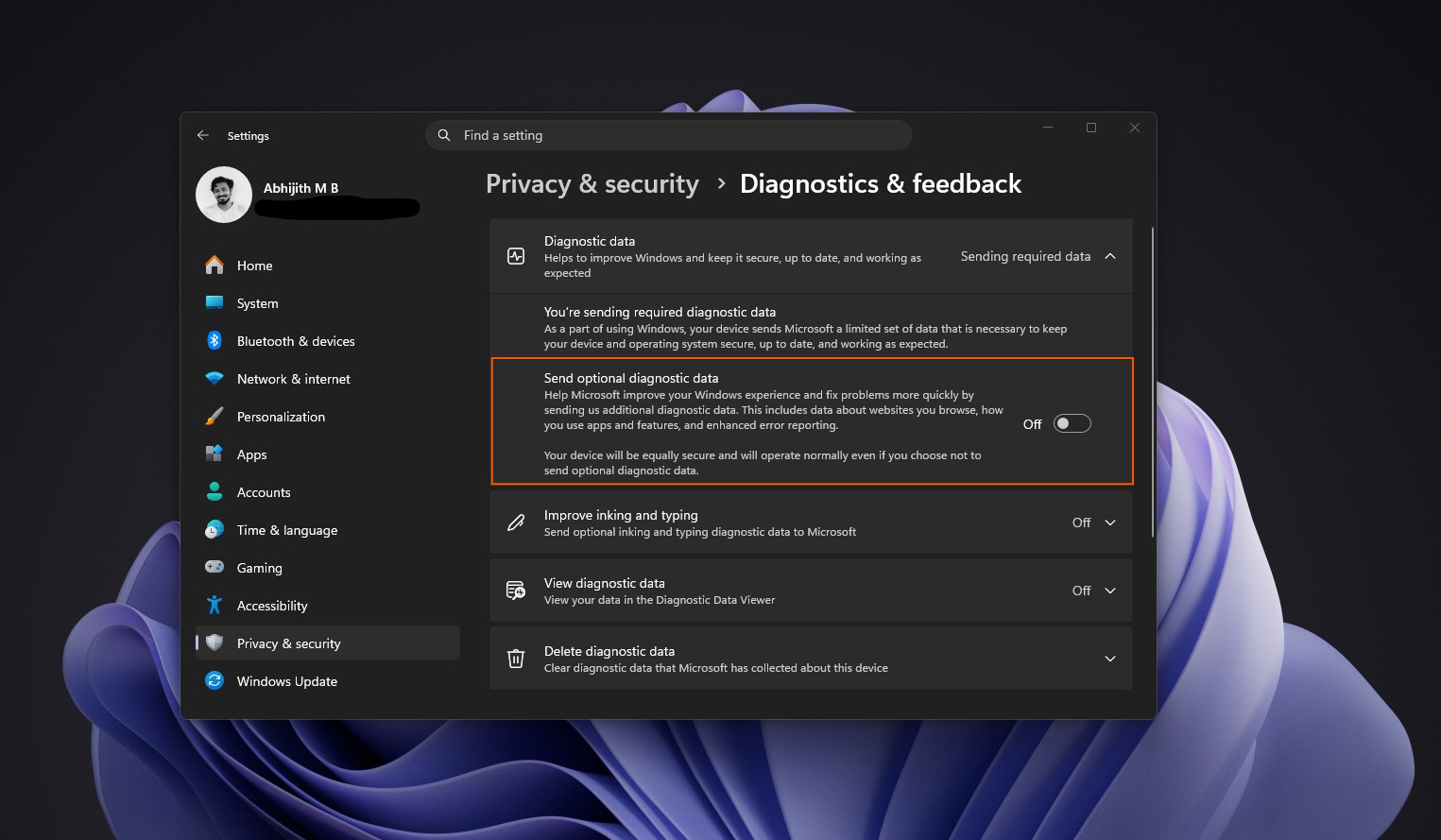
The Delete diagnostic data button on this Settings page does not prevent future data transmission. It also does not remove diagnostic information associated with a MS account; that data must be deleted through the MS privacy dashboard.
Windows Already Includes a “Release the Power Button” Screen
Chen has indicated that Windows Insider builds may ask users to release the power button so the kernel has enough time to complete its dump. This behavior can be difficult to verify when Insider builds are running inside virtual machines.
MS has documented a similar screen for several years. When the PowerButtonBugcheck registry value is configured, holding the power button for seven seconds and releasing it before 10 seconds triggers Bug Check 0x1C8. Instead of the standard crash screen, which Windows 11 has changed to black, the system displays the message: “Please release the power button. We just need a few more seconds to shut down.” A percentage counter appears alongside it.
This option dates back to Windows 10 version 1809 and requires a GPIO-based power button. The Insider prompt may use similar functionality, although MS has not confirmed a connection.
To determine whether a PC recorded a forced shutdown, check Kernel-Power Event ID 41 under Event Viewer > Windows Logs > System. MS states that holding the power button produces a nonzero PowerButtonTimestamp. Windows 11 may also show LongPowerButtonPressDetected on the Details tab. However, Event ID 41 confirms only that an unclean shutdown occurred; it does not prove that Windows successfully saved a crash dump.
Finally, a black screen does not always indicate a Windows defect. Chen has recalled a Windows 3.1 support case in which nothing appeared after the logo because the customer had changed every color in the Colors control panel—including window text—to black. Such a configuration issue would not fall within the black screen LPBH team’s remit.