Windows 11 26H2 Enablement Package Is Only 173KB
Windows 11 26H2 is delivered as a tiny enablement package for PCs already running Windows 11 24H2 or 25H2. However, systems still using Windows 11 23H2 require a full feature upgrade of approximately 6.5GB. The official Windows 11 26H2 enablement package, KB5121794, is only 173KB, or precisely 177,535 bytes.
Although it may seem surprising that the 2026 annual Windows feature update is roughly 174KB, this is not a compressed installer that subsequently downloads several gigabytes of data. The explanation is straightforward: the required 26H2 components are already present on fully updated 24H2 and 25H2 PCs, and the enablement package simply activates them.
Windows 11 26H2 Package Size and Function
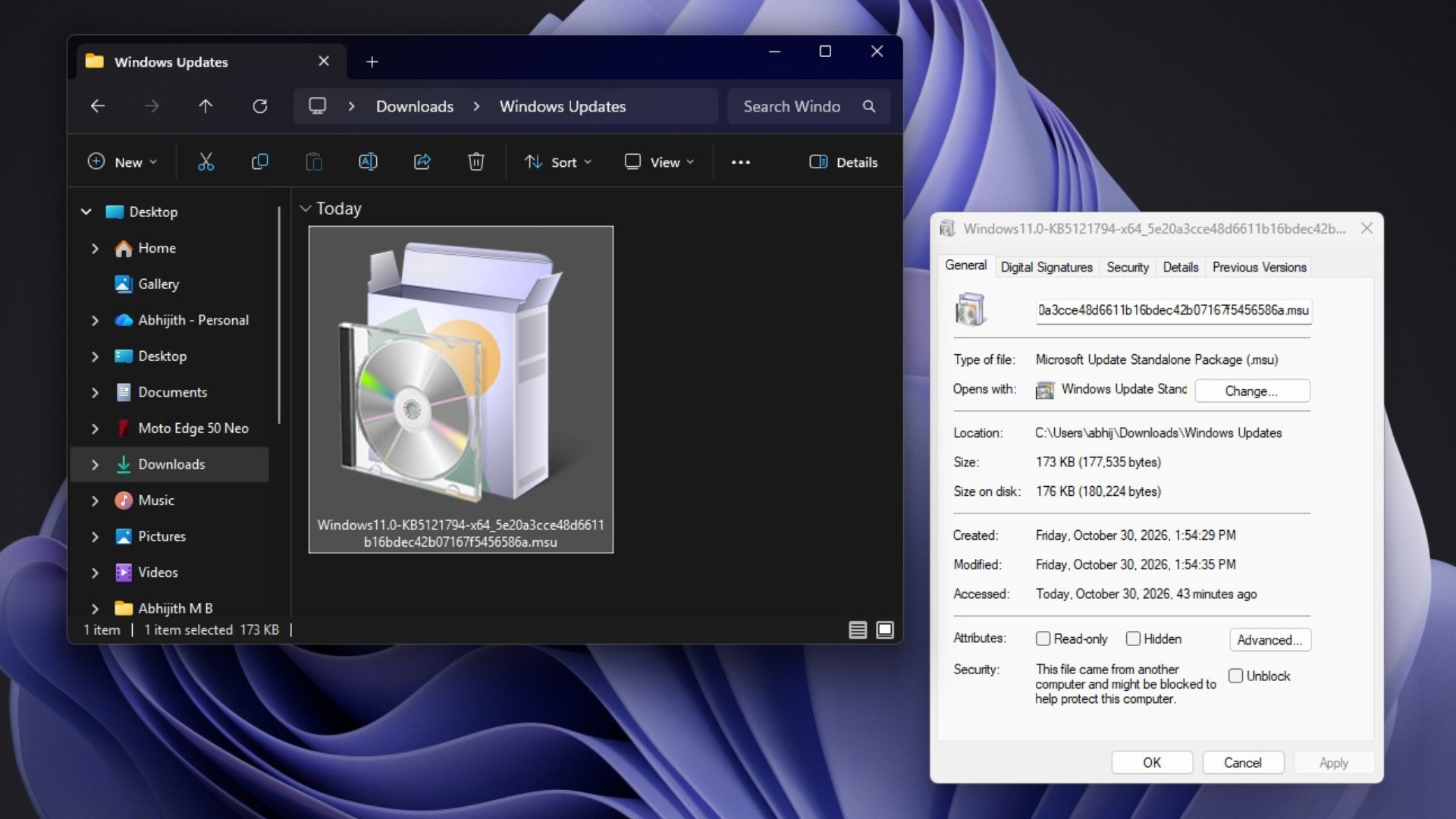
The x64 version of the 26H2 package, obtained through MS’s servers, appears in File Explorer as a MS Update Standalone Package with the .msu extension. Its reported file size is 173KB, while it occupies approximately 176KB on disk.
MS’s KB5121794 support documentation explains that Windows 11 versions 24H2, 25H2, and 26H2 share a common operating-system core and an identical set of system files. New features are distributed through monthly updates in a partially disabled state. The small enablement package then functions as a quick-to-install master switch that activates the relevant components.
This does not mean every new feature remains disabled until 26H2 is installed. MS introduces Windows features through monthly updates, but its controlled feature rollout process means some capabilities may not become available on every PC immediately.
MS describes the enablement process in four stages:
Feature flags change from disabled to enabled.
The PC restarts.
The new features become active.
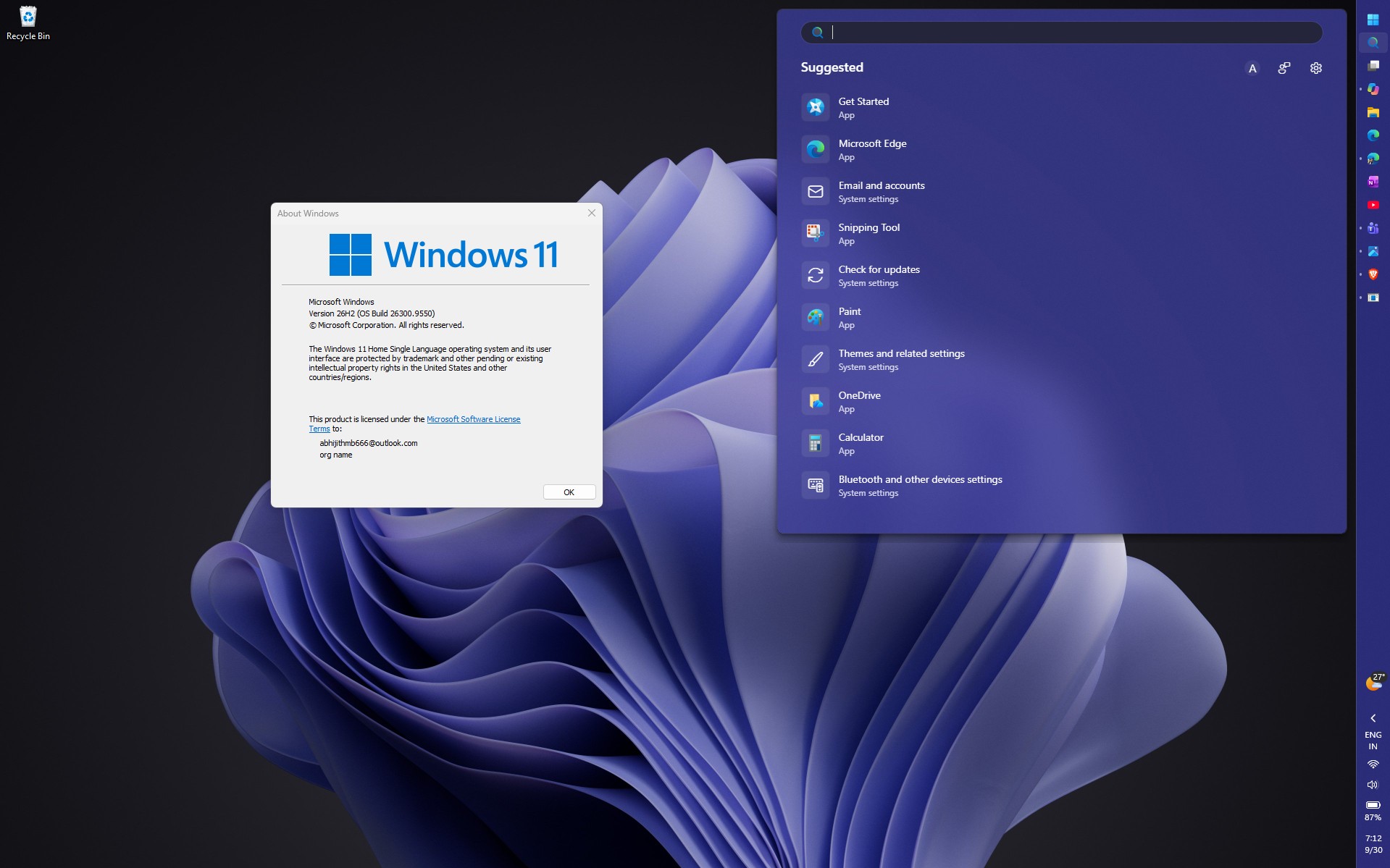
The Windows build number changes from 26200 or 26100 to 26300.
Because the required files are already installed, Windows 11 26H2 can typically complete installation in less than five minutes.

Why Windows 11 23H2 Requires a 6.5GB Upgrade
Windows 11 23H2 belongs to a different source-code branch. MS’s June 2026 white paper, Windows and the Shared Servicing Model, identifies two shared Windows 11 branches: the 22H2/23H2 branch and the 24H2/25H2/26H2 branch.
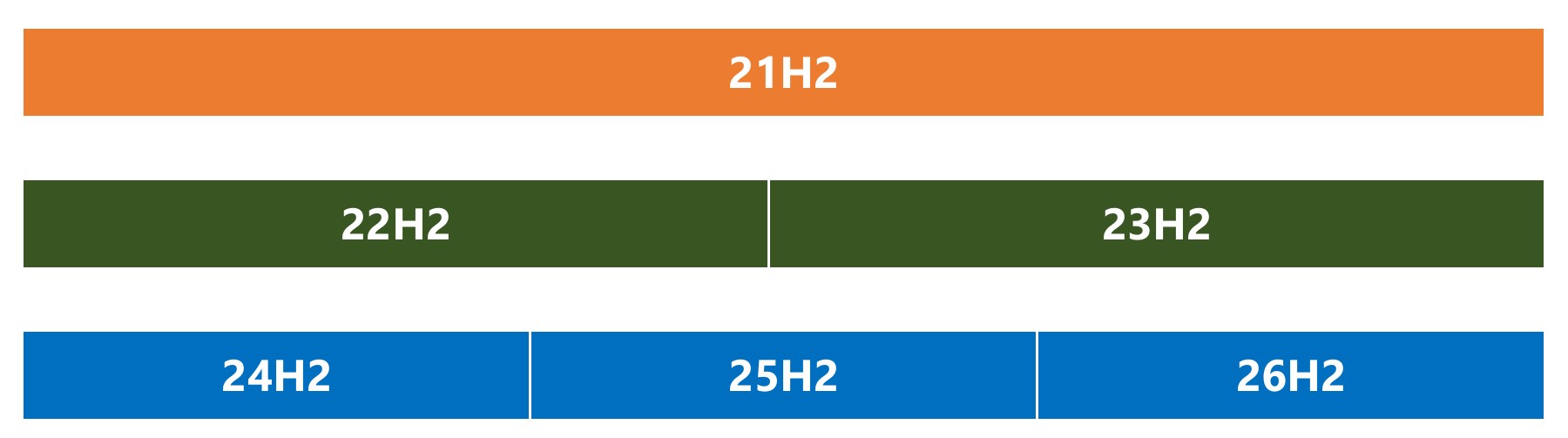
The newer branch also contains the Long-Term Servicing Channel editions of Windows 11, which is one reason it remains separate from Windows 11 23H2. Because 23H2 PCs do not receive the disabled 26H2 code through monthly updates, there are no existing components for an enablement package to activate. Windows must instead perform what MS calls an OS swap, replacing the operating system.
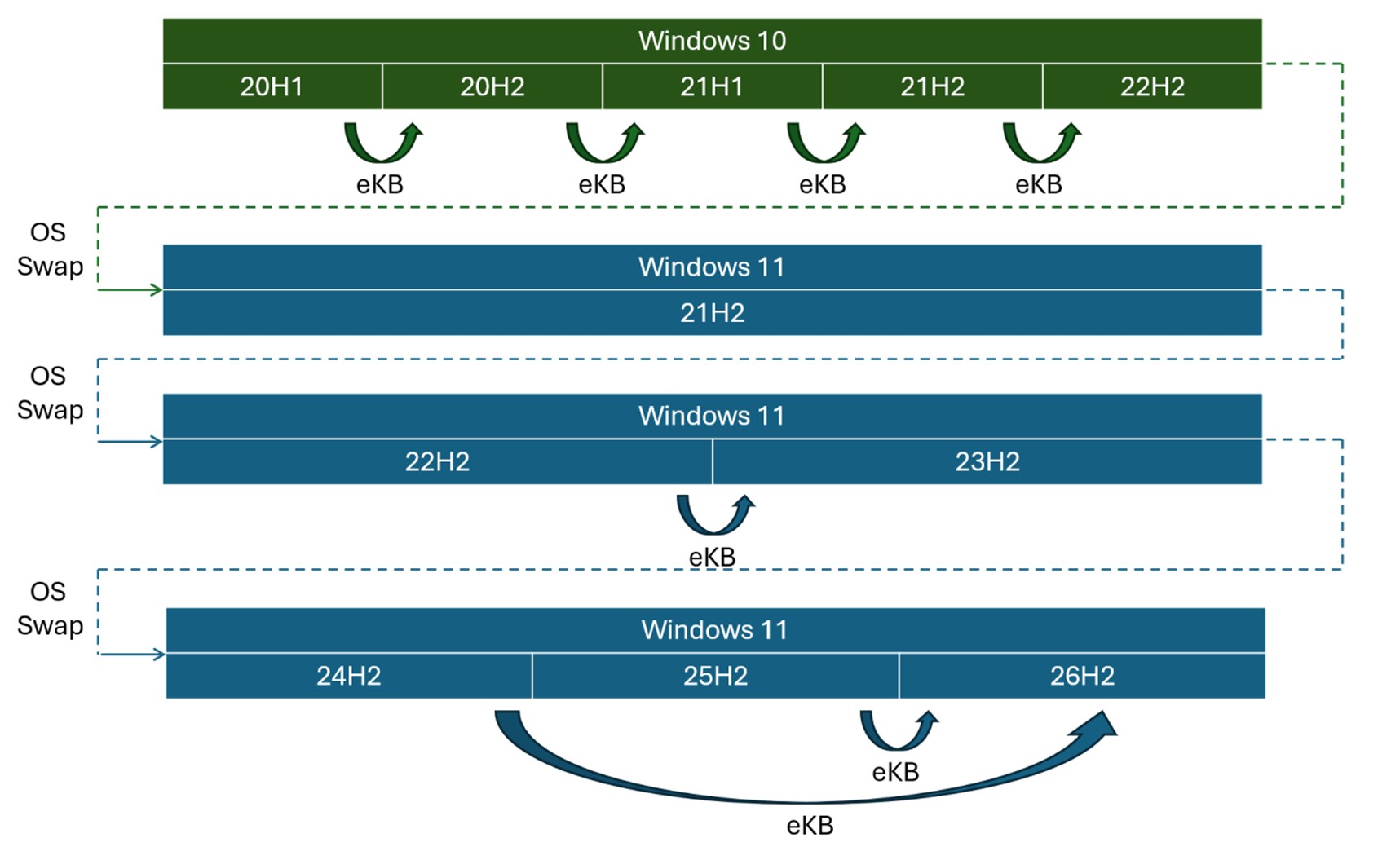
MS’s white paper provides an example involving an x64 PC running the US English Business edition of Windows 11 23H2 and upgrading to 25H2. The process includes a 5.3GB base image for 24H2 and an 887MB final cumulative update containing the complete payload for 25H2 additions. MS describes the complete feature update as being close to 6.5GB, making the enablement package approximately three-thousandths of one percent of that size.
These measurements apply specifically to 25H2 rather than 26H2, and the two listed components total approximately 6.2GB. A Windows 11 23H2 PC upgrading to 26H2 follows a similar full-upgrade process, although the final download size varies according to the installed edition and latest cumulative update.
Which Windows Versions Receive the 174KB Update?
Windows 11 22H2 and 23H2 also share a branch, which allowed Windows 11 23H2 to be delivered as an enablement package to 22H2 PCs in 2023. However, that shared branch does not provide the files required to enable Windows 11 26H2.
Windows 11 24H2 and 25H2: Eligible for the approximately 174KB enablement package.
Windows 11 23H2: Requires a full operating-system feature upgrade.
Windows 11 23H2 Home and Pro stopped receiving updates in November 2025. Enterprise and Education editions are scheduled to reach the end of support on November 10, 2026.
How to Install Windows 11 26H2
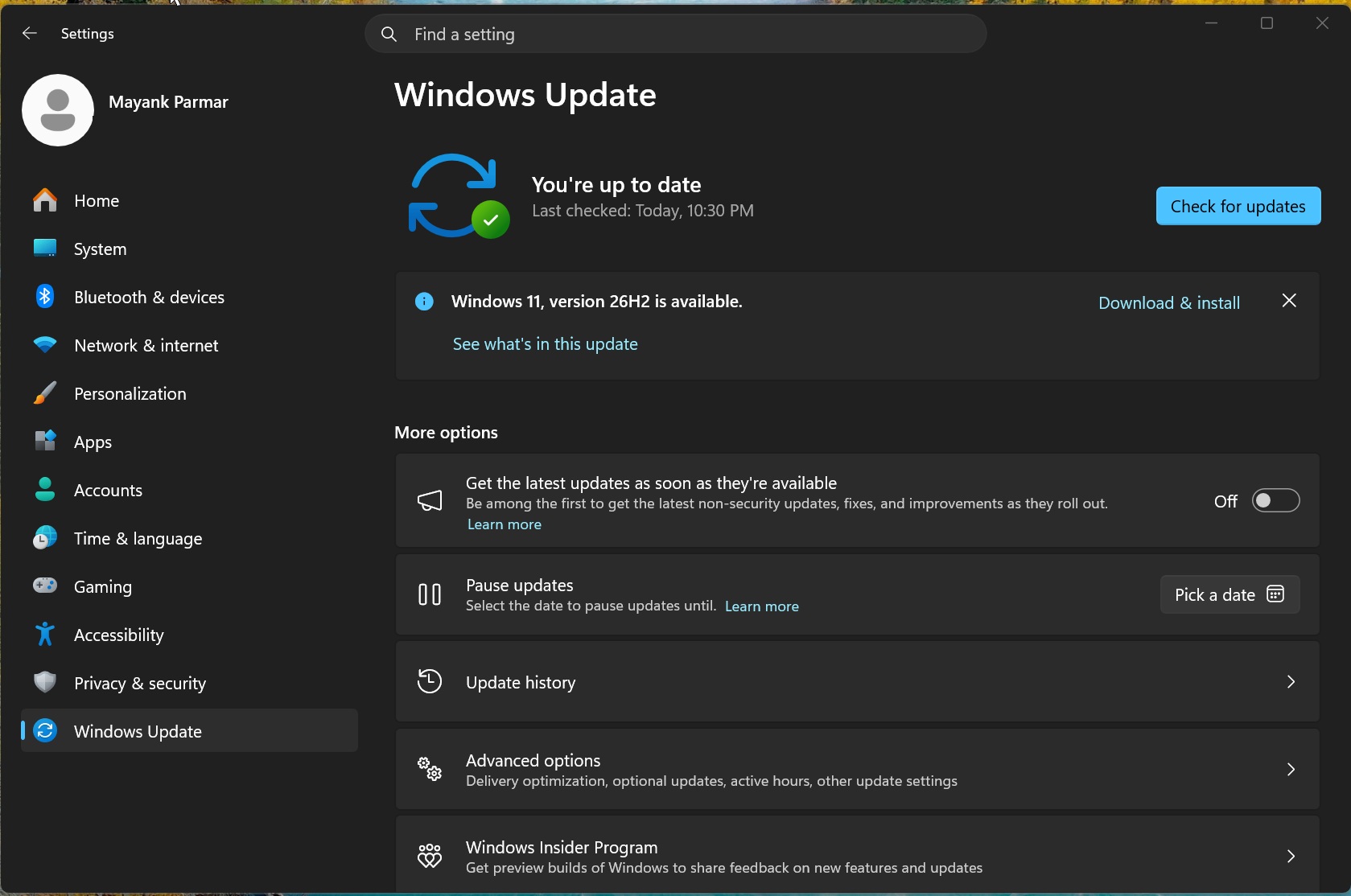
On a PC running Windows 11 24H2 or 25H2, open Settings > Windows Update and select Check for updates. If the message “Windows 11, version 26H2 is available” appears, choose Download & install. MS says this process provides a minimal download size, quick installation, and a single restart.
Users upgrading from Windows 11 23H2 or performing a clean installation will need the full Windows 11 26H2 installation media. The 26H2 ISO is approximately 8GB.
Performance Improvements in Windows 11 26H2
Windows 11 26H2 can deliver noticeable performance improvements and lower memory usage. In one test involving a laptop with 8GB of RAM, memory consumption after a restart decreased from 5GB to 3.3GB. Users can confirm their installed Windows version by running winver.