Windows 11 November 2026 Update Brings a Faster, Customizable Context Menu
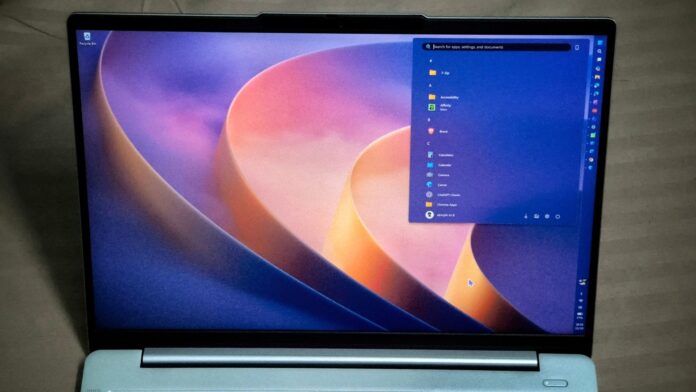
Five years after Windows 11 launched, MS has introduced a right-click menu that opens instantly and gives users greater control over its contents. This is the standout feature of the substantial November 2026 Patch Tuesday update, which also improves Edge launch speeds, smooths taskbar preview animations, and delivers the promised memory optimizations for Windows 11 26H2 devices with 8GB of RAM.
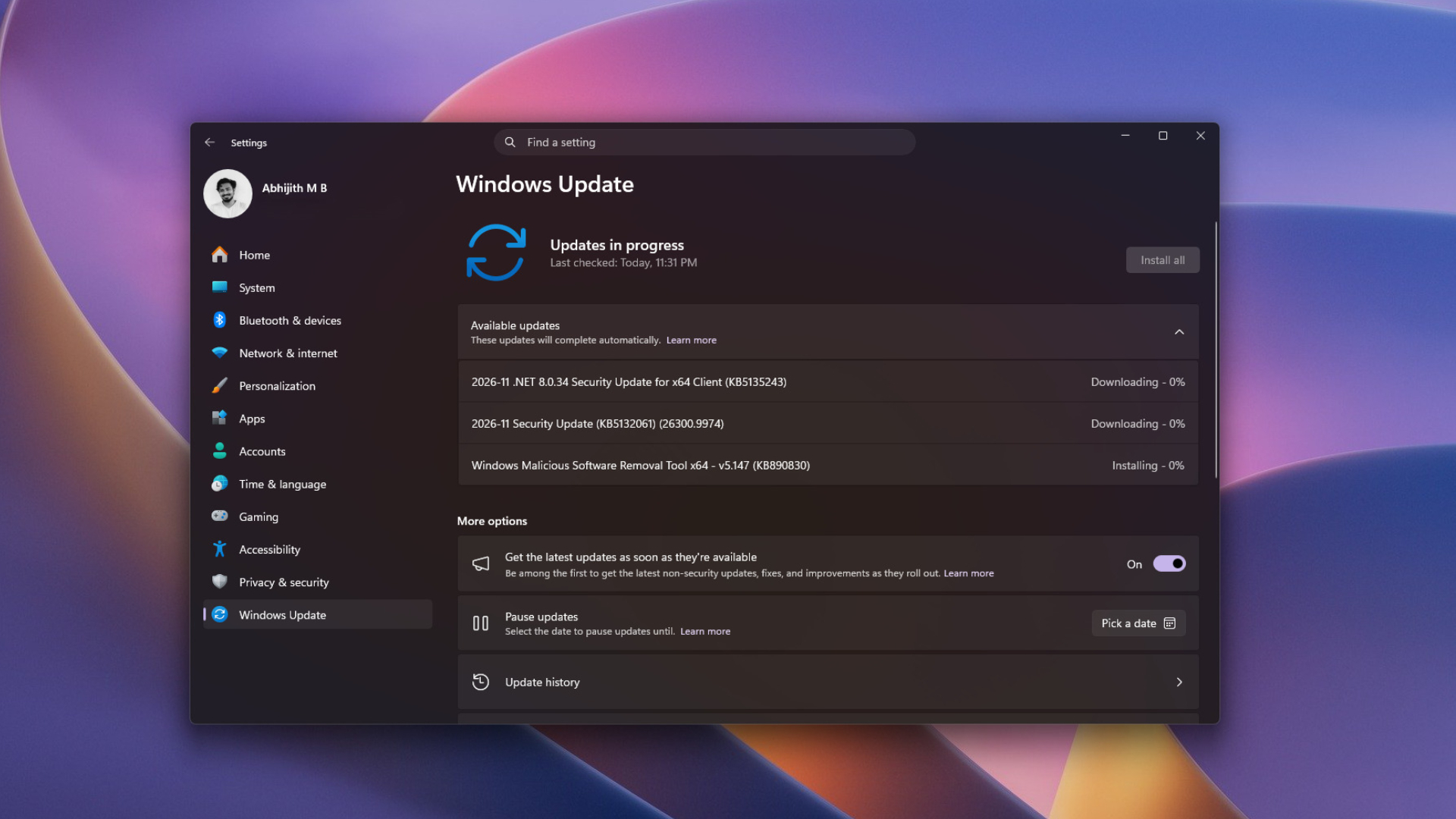
The mandatory security update is identified as KB5132061. It advances Windows 11 26H2 to Build 26300.9974 and Windows 11 25H2 to Build 26200.9974. It also includes every change from the October 28 optional update, KB5127936.
Features distributed through the gradual rollout will reach devices over time, so some users may initially see only the new build number. Changes included in the normal rollout, including most bug fixes, take effect as soon as the update is installed.
What Is New in the Windows 11 November 2026 Patch Tuesday Update
Windows 11 24H2 Home and Pro Are No Longer Supported
Windows 11 24H2 Home and Pro reached the end of servicing on October 13, so those editions will not receive the November 2026 update. Windows 11 24H2 Enterprise and Education will continue receiving monthly security fixes until October 12, 2027, but they will not receive the features covered here.
This is also the final update for Windows 11 23H2 Enterprise and Education. Devices still running 24H2 can move to Windows 11 26H2 through a small enablement package and a single restart.
Windows 11 26H2 Improves Performance on PCs with 8GB of RAM
In a November 3 blog post, Windows chief Pavan Davuluri said that Windows 11 26H2 Build 26300.9818 or later is required for the latest performance and memory improvements. The November update automatically moves every 26H2 device beyond that requirement.
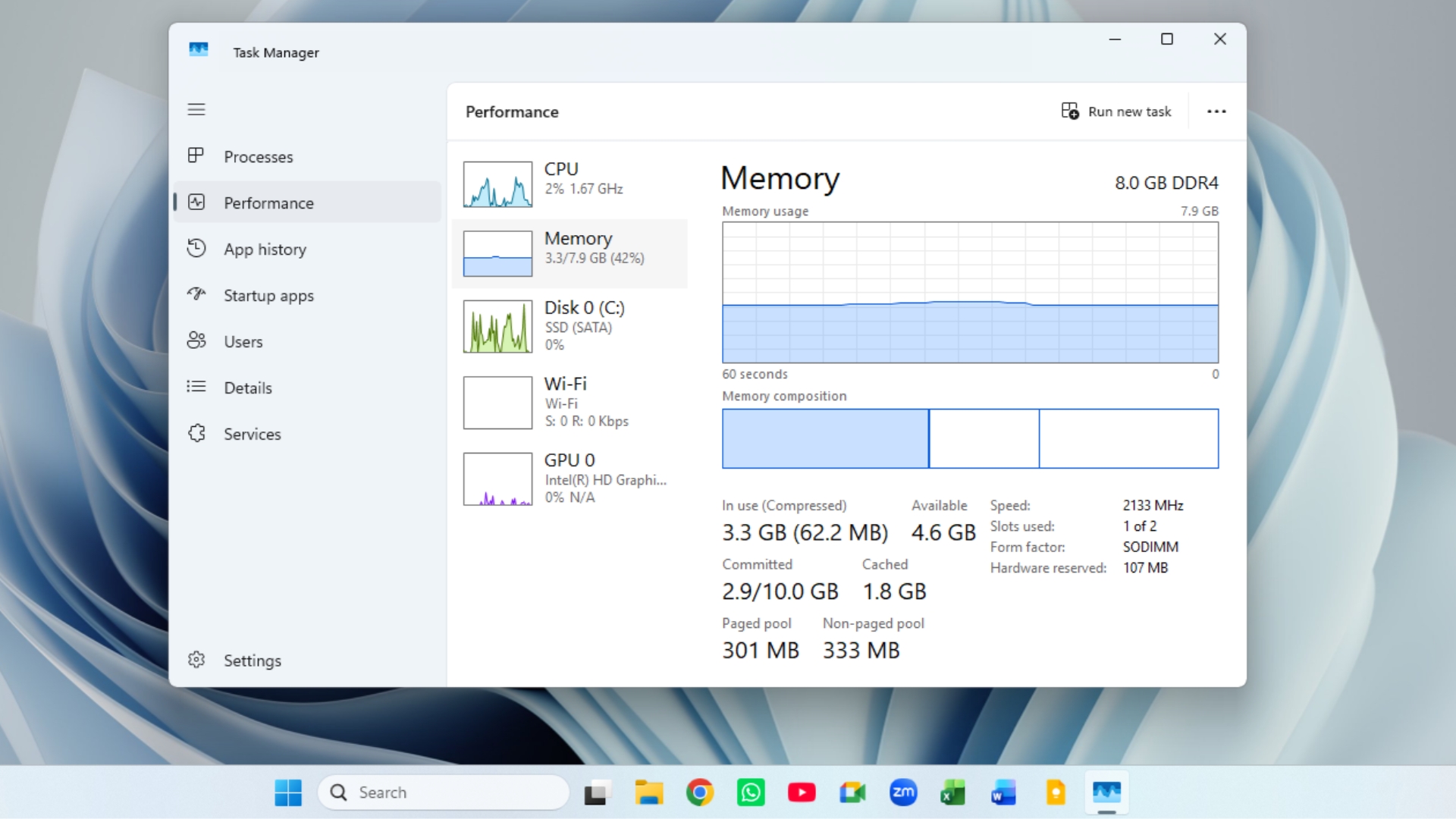
On PCs with 8GB of memory, Windows can now retain up to 2GB more active data in RAM. As a result, an Edge tab left open for an hour is less likely to reload. MS also says Start, Search, the context menu, Settings, and File Explorer can respond up to 20% faster than they did on January 2026 builds. Widgets now loads only when opened, saving approximately 200MB of memory on devices with 8GB of RAM or less.
Testing on an 8GB laptop showed that RAM usage after a restart fell from 5GB to 3.3GB following the move to Windows 11 26H2.
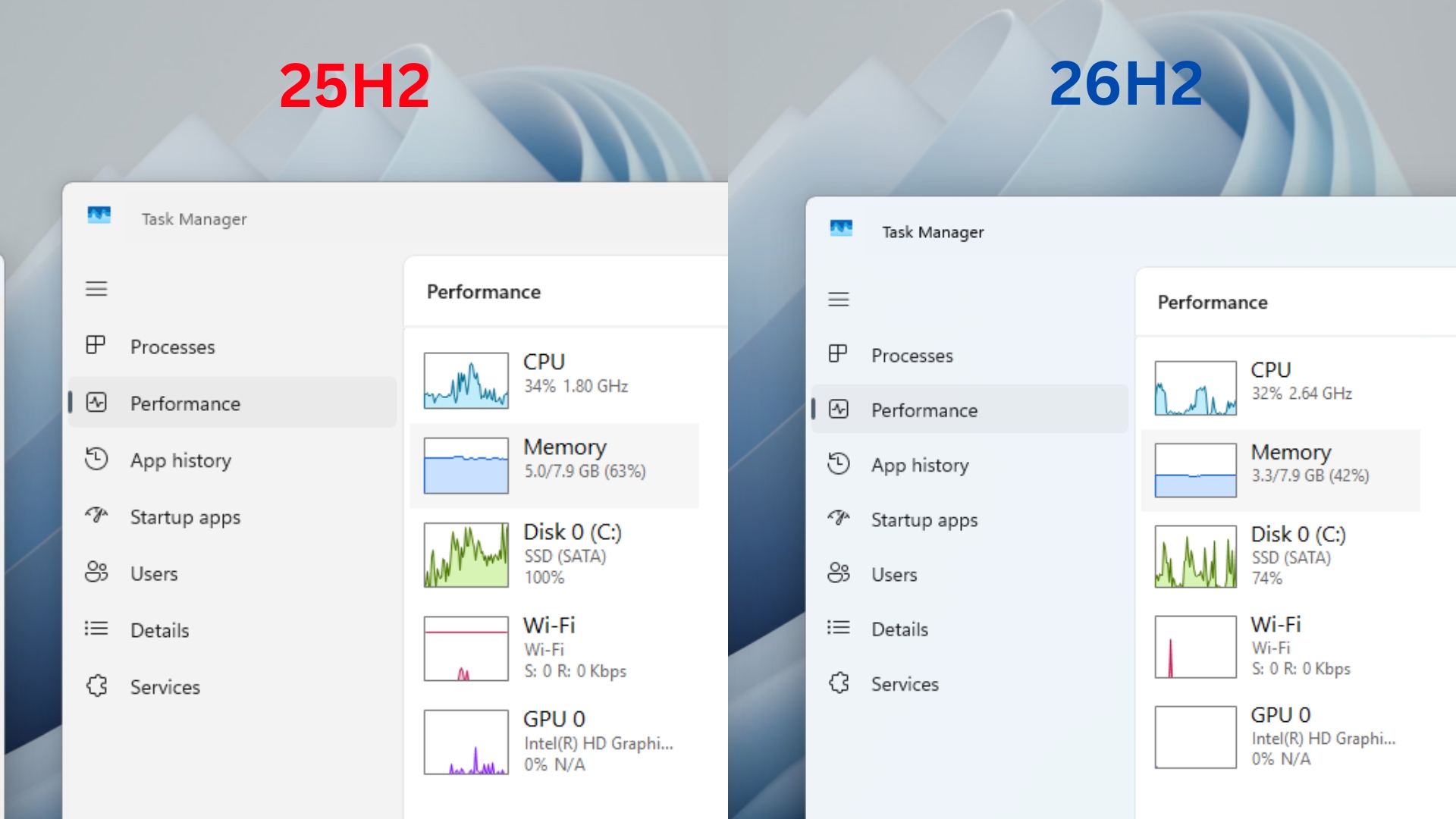
MS’s footnotes calculate the 20% improvement using Build 26300.9550 from September, meaning 26H2 devices had already received part of the optimization. For users still on 25H2, upgrading to 26H2 is the simplest way to obtain all the listed improvements, although comparing current 8GB laptops with 16GB PCs from 2021 may not be entirely representative.
The Windows 11 Context Menu Is Faster and Customizable
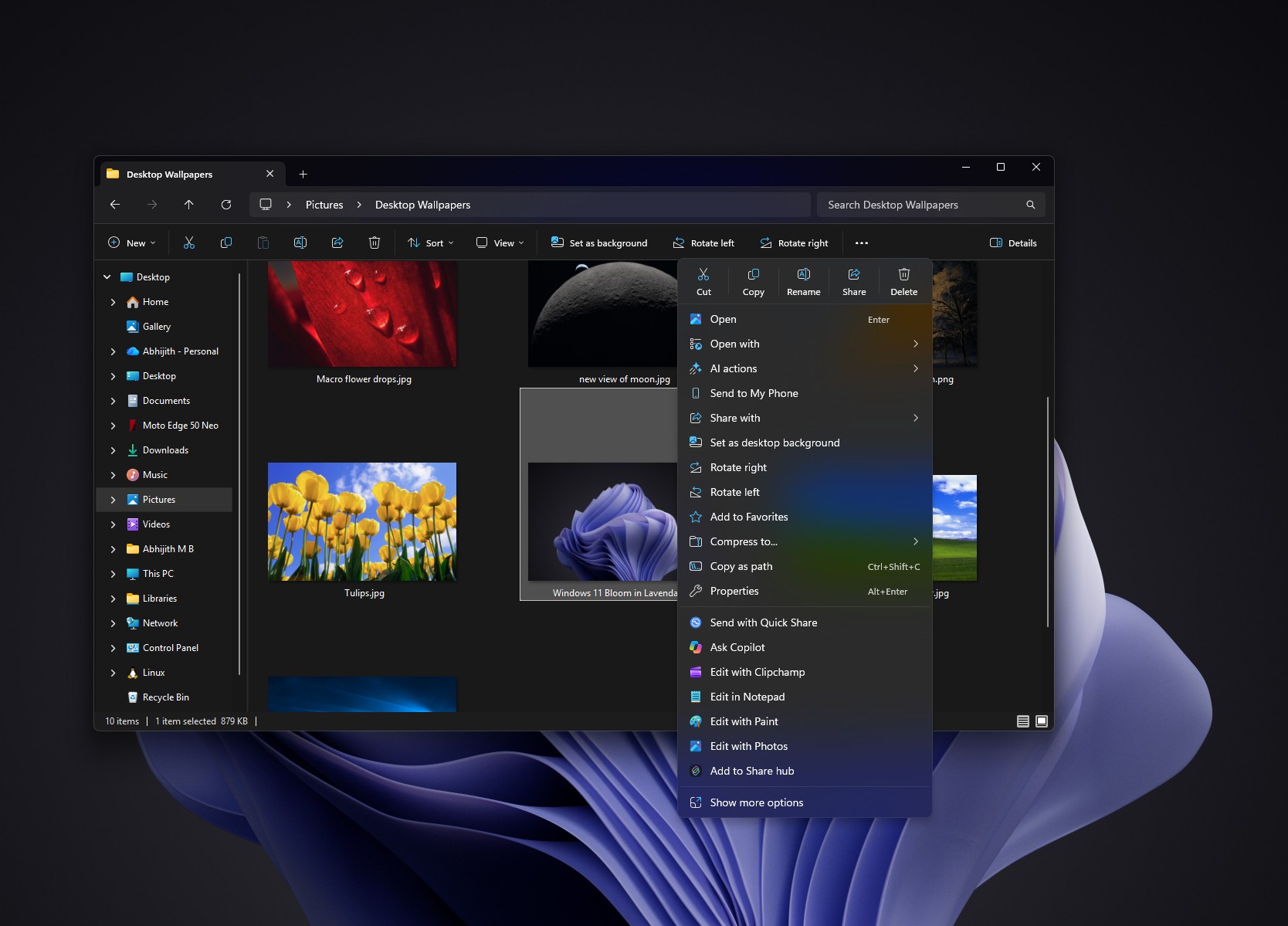
One of the update’s most significant changes is the redesigned context menu. Before the update, right-clicking an image could display 20 entries beneath the icon row, including seven app extensions such as Ask Copilot and Edit with Clipchamp. The menu could take one or two seconds to finish loading.
The new default menu for the same image contains only eight entries and appears fully loaded as soon as the user right-clicks. App extensions now load only when their submenu is opened, preventing them from delaying the main context menu.
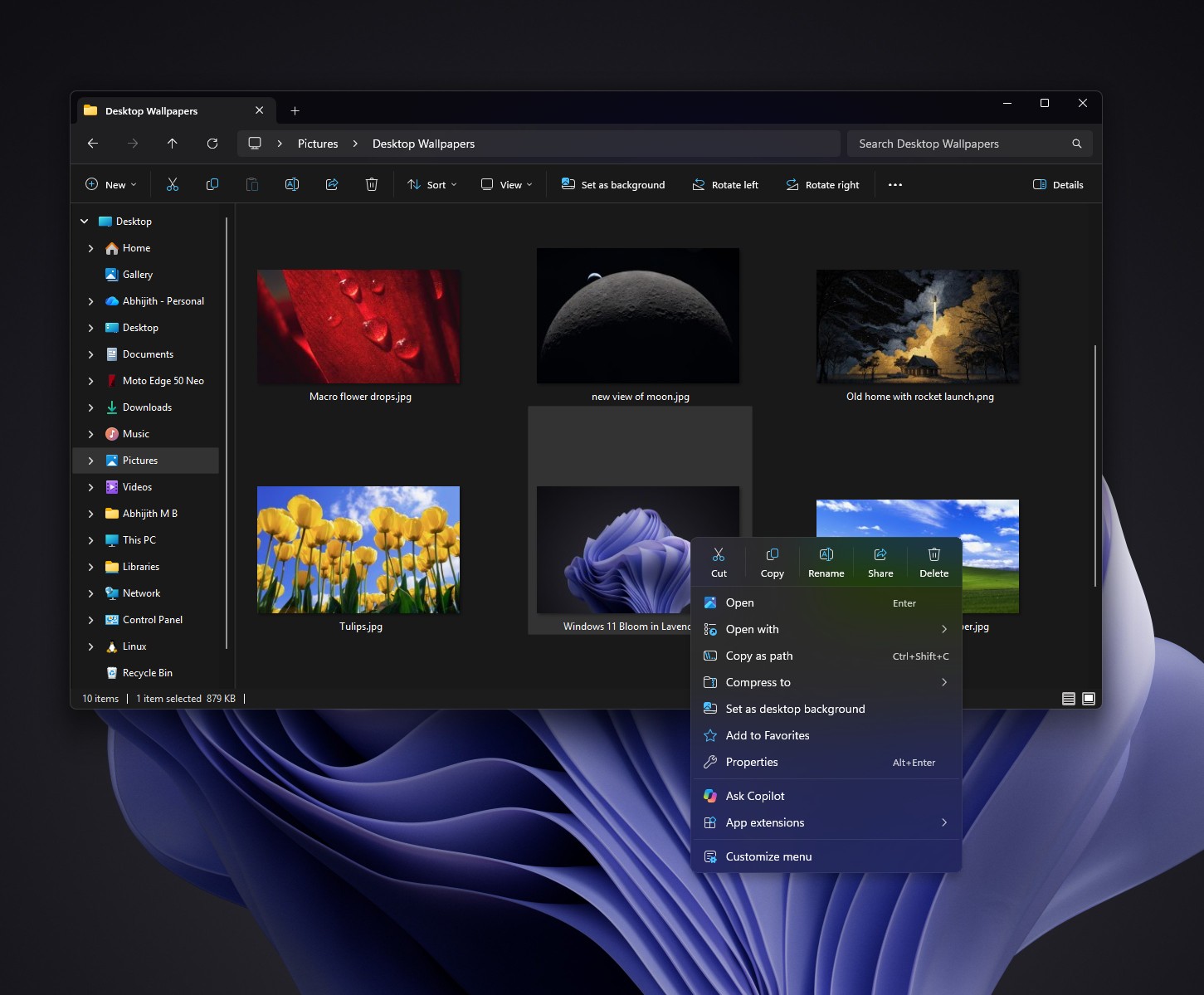
Selecting Customize menu at the bottom of the context menu opens Settings > Personalization > Context menu, where available menu entries can be managed.
Ask Copilot may appear in the main menu by default, but it can be disabled with one click. Older applications such as 7-Zip may still appear only in the legacy menu. To access it, hold Shift while right-clicking the desktop or enable Show more options from the context-menu settings page.
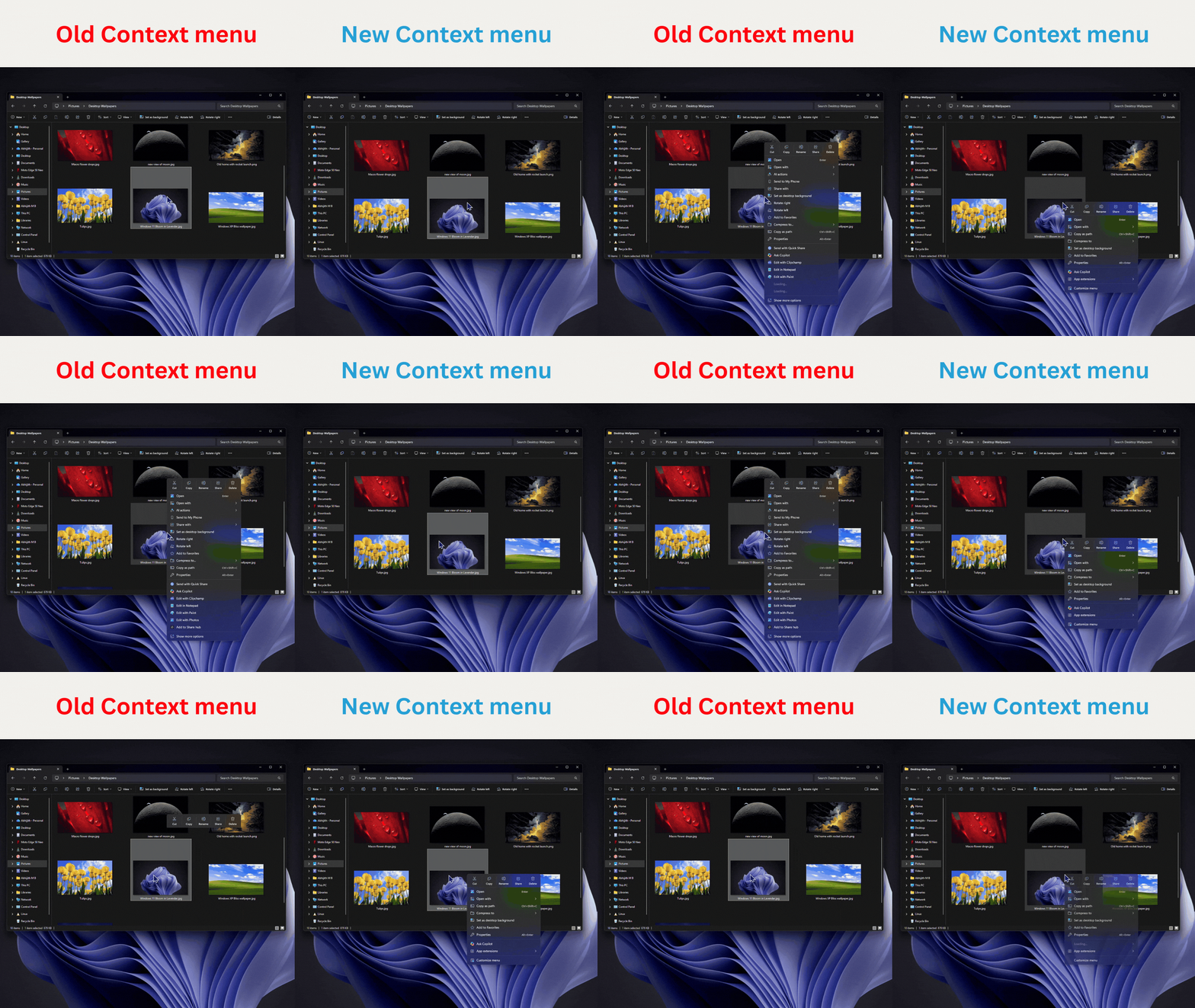
MS acknowledged in August that the context menu had become cluttered and sluggish. The November update delivers the long-awaited correction three months later.
Taskbar Previews Now Animate More Smoothly
MS says the update improves the animation of app-window previews when the pointer moves across taskbar icons. Testing indicates that previews now transition smoothly from one application to another.
Although this is a relatively small improvement, it provides the type of visual polish that has long contributed to the premium feel of macOS. MS has been refining taskbar animations incrementally since a fly-up animation appeared in a Beta build last year.
For laptops connected to external displays, the taskbar also retains multi-monitor settings more reliably when monitors are connected or disconnected.
Phone Link Adds Message Previews to the Start Menu
The Phone Link panel in Start, introduced in April 2025, now allows users to hover over a recent message or notification to preview its contents. This removes the need to open Phone Link or pick up the connected phone simply to read a message.
Previews can be disabled through Phone Link > Settings > Start menu personalization.
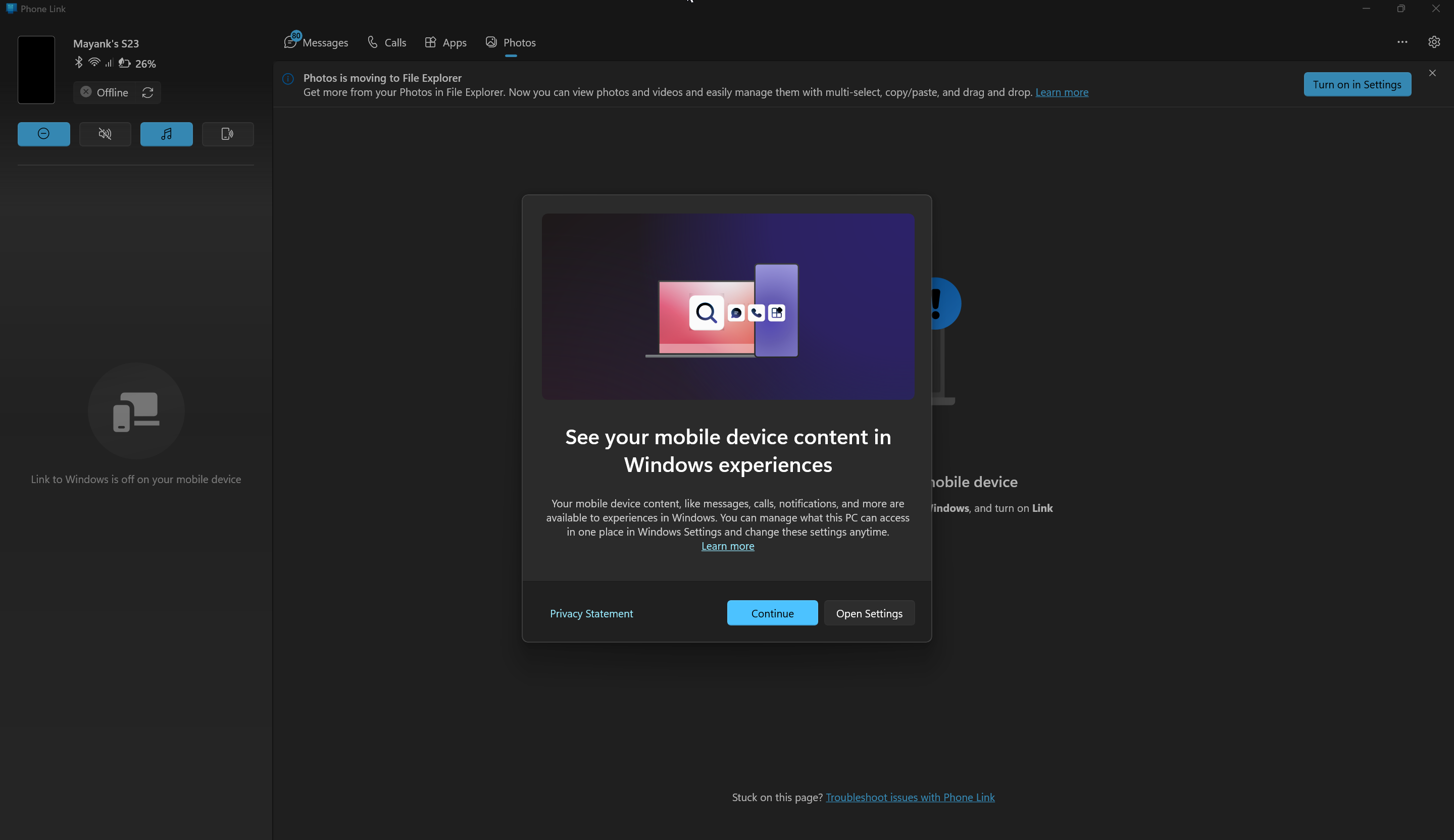
The feature still depends on a stable connection. Some Windows 11 PCs continue to lose their connection to Android phones after waking from sleep, although MS is developing a fix.
MS Edge Can Open Up to 33% Faster
Faster Edge launches are included in the normal rollout. Every PC running Edge 150 or later should receive the improvement after installing the update.
When Edge was already running in the background through Startup Boost, Windows previously launched a temporary Edge process to locate the active instance, forward the requested link, and then close. With accelerated app launch, Edge registers itself with Windows when it first opens, allowing subsequent requests to go directly to the running process.
The Edge team says most users should experience launches that are approximately 15% faster, with improvements of up to 33% during heavy multitasking. In testing on a virtual machine with 4GB of RAM, opening Edge from the taskbar while MS Store and Paint were running changed from noticeably slow to responsive. The first launch after restarting was not faster because Edge was not yet running in the background.
Edge is currently the only application using the feature, although Firefox is also testing accelerated launches. The approach eliminates unnecessary processing rather than relying on preloading to conceal slower launch behavior.
Xbox Mode Can Exit to the Desktop Using Only a Controller
Xbox mode arrived in May, but leaving it without a keyboard was inconvenient. The November update refreshes Gaming Task View with a navigation bar at the bottom of the screen. It includes an Exit to Desktop button and a Power menu with options to Lock, Sign out, Shut down, or Restart.
Open applications appear as large cards that users can switch between with the LB and RB controller buttons. On handheld devices, a keyboard is no longer required simply to shut down the system. MS notes that availability may vary by device and market.
Cloud Rebuild Can Reinstall Windows 11 from the Internet
Cloud rebuild is a new recovery option that downloads a Windows image and the required drivers from Windows Update before reinstalling Windows 11. No USB drive is required. Unlike the cloud-download option in Reset this PC, Cloud rebuild works even when Windows cannot start.
Users can begin the process through Settings > System > Recovery > Rebuild PC, which restarts the device into the Windows Recovery Environment. If Windows repeatedly fails to boot, the PC enters WinRE automatically. From there, select Troubleshoot > Recovery and uninstall > Cloud rebuild. Windows displays the target build, edition, and language before requesting confirmation.
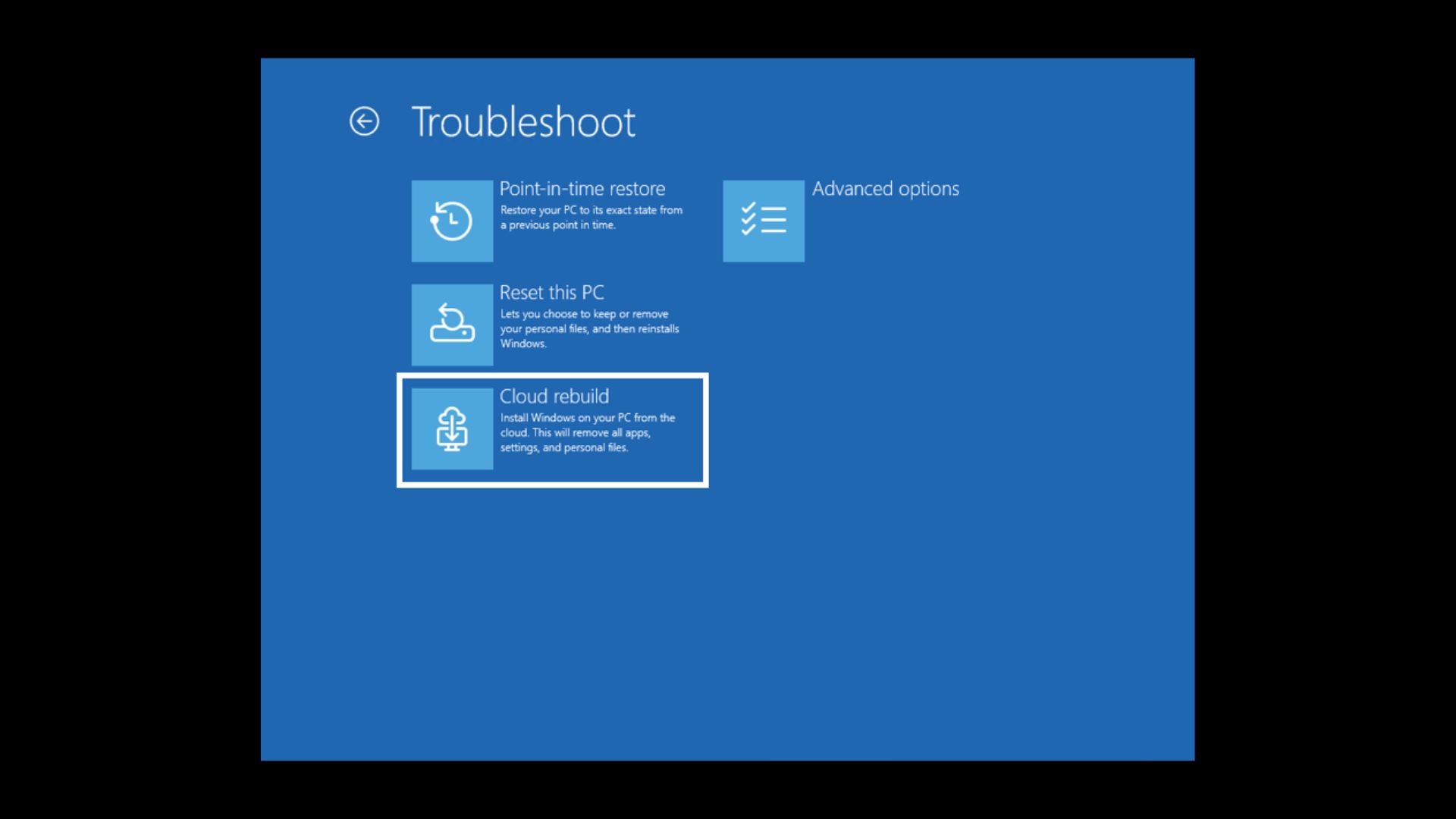
Cloud rebuild performs a clean installation. Users can remove their files or remove them and sanitize the drive through the storage hardware’s erase feature. The sanitization process cannot be reversed. IT administrators can also initiate Cloud rebuild remotely through the Recovery CSP.
Users who only need to reverse a problematic update without deleting files should use Point-in-time restore, which was introduced in July.
WinRE Can Reuse Saved Wi-Fi Profiles
Recovery tools such as Cloud rebuild and Quick Machine Recovery require an internet connection. Previously, WinRE could not use a saved Wi-Fi network unless its credentials had been configured separately inside the recovery environment.
WinRE can now automatically reuse eligible Wi-Fi profiles stored in Windows, including certificate-based networks. The feature is enabled by default, although IT administrators can disable it.
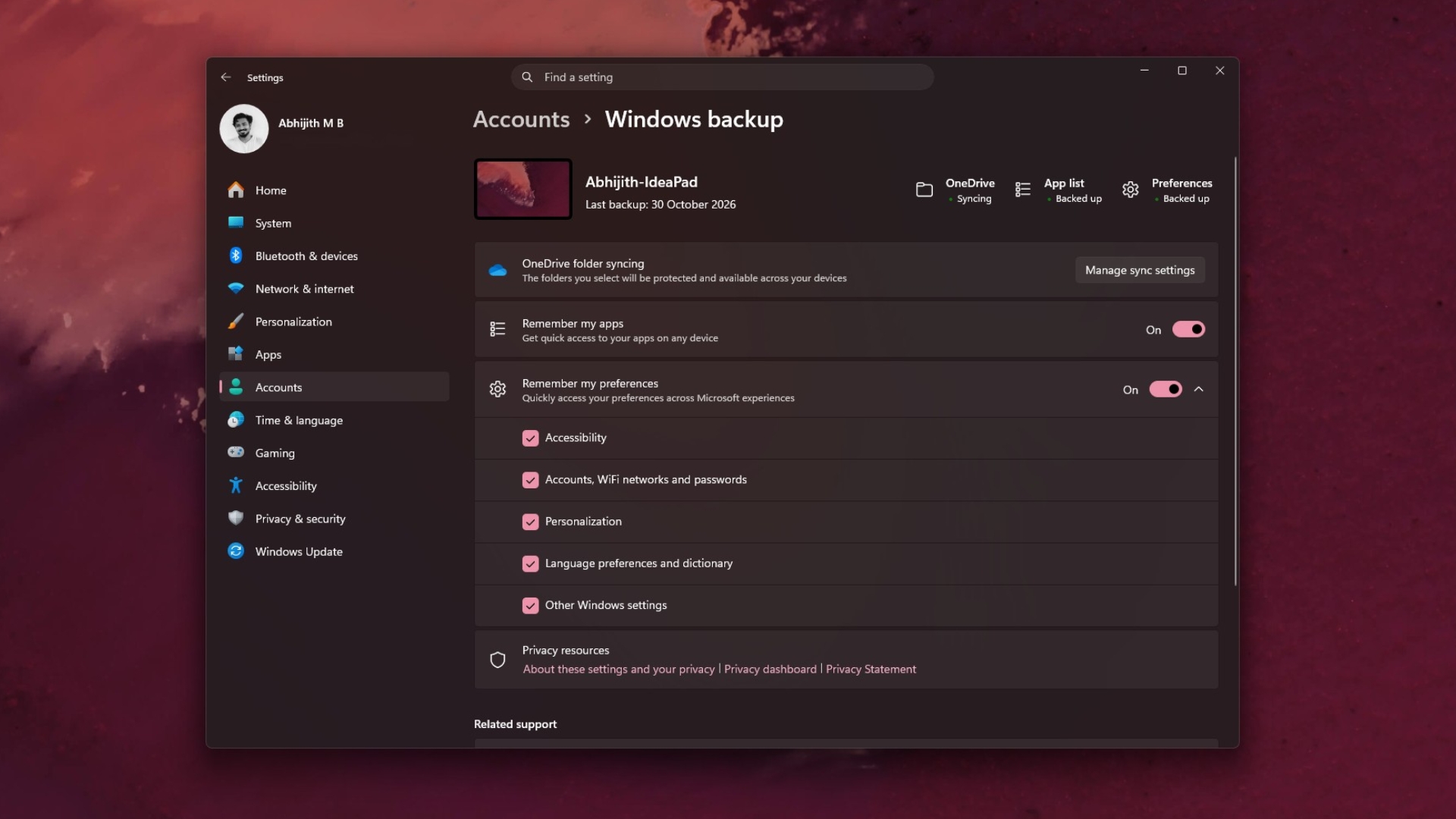
Windows Backup Adds a Restore Summary
Windows Backup now displays a Restore Summary after a backup is restored to a new PC. The summary identifies which settings and MS Store applications were recovered. MS removed PC-to-PC Migration last month in favor of Windows Backup, making the new summary useful for confirming what transferred through OneDrive.
Memory Integrity Is Being Enabled on More PCs
Memory integrity, also known as Hypervisor-Protected Code Integrity or HVCI, checks drivers and kernel code before execution to help block malicious drivers. Supported PCs may now have the feature enabled automatically during updates. MS says the process respects choices already made by users or IT administrators.
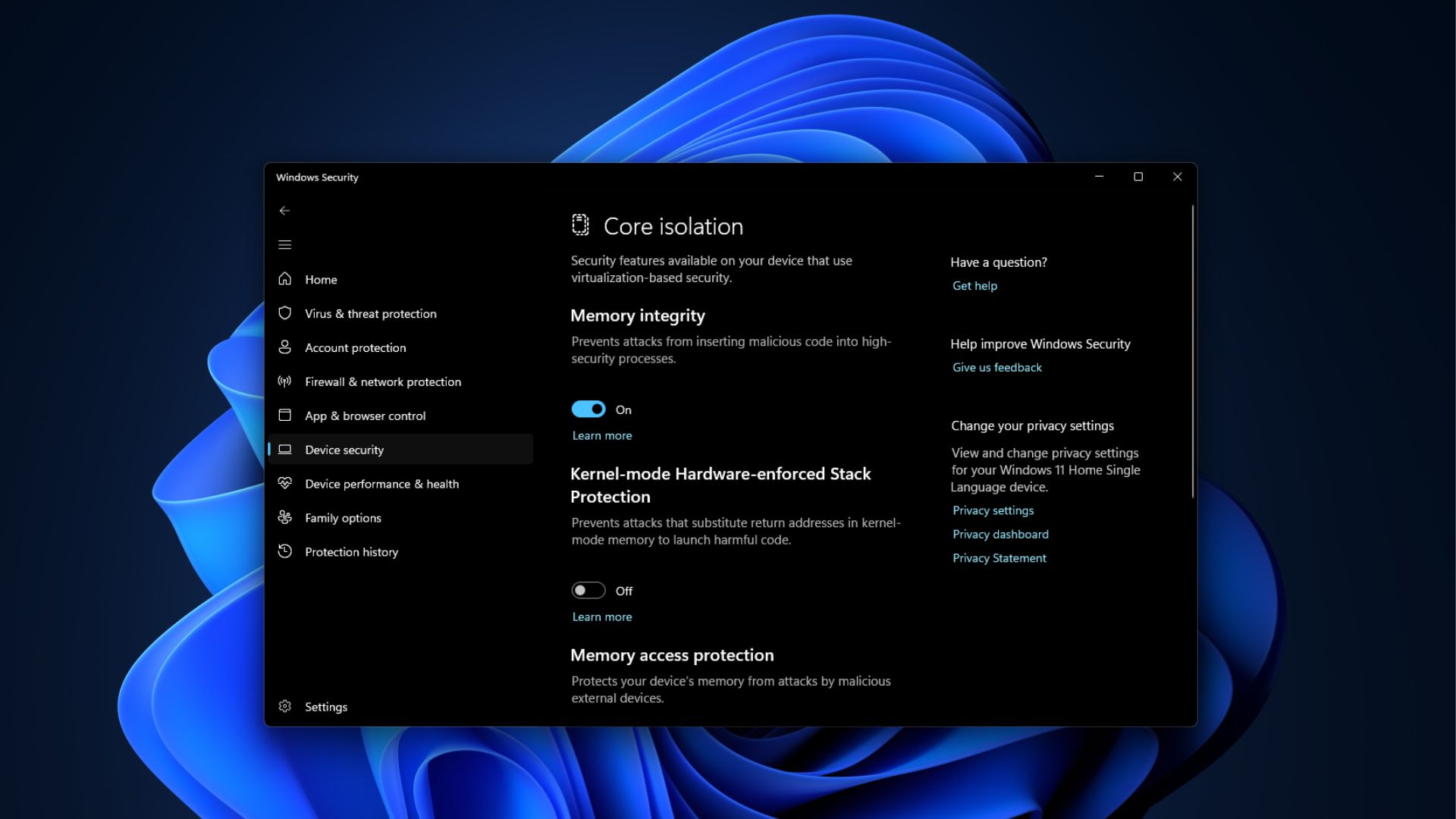
The setting is available under Windows Security > Device security > Core isolation. It is generally best to keep memory integrity enabled unless it causes compatibility problems with a game or driver.
Known USB Audio Issue and Secure Boot Certificate Rollout
MS continues to list the USB audio problem first reported in September as a known issue. Some USB Audio Class 1.0 devices may fail to start with Code 10, produce no sound, or leave the volume fixed at zero.
The September 14 emergency update corrected the portion of the problem affecting eight-channel and 3D audio, but the remaining issues are still unresolved two months later.
Secure Boot certificates used by most PCs began expiring in June, and MS continues to distribute updated certificates through Windows Update. PCs that have not yet received them will continue to start and install updates normally.
AI Components and Servicing Stack Updates
Image Search, Content Extraction, Semantic Analysis, and the Settings Model are updated in the background to version 1.2610.1063.0. The release also includes a new servicing stack update designed to improve the Windows update-installation process.
How to Install the November 2026 Patch Tuesday Update
Open Settings > Windows Update.
Select Check for updates.
Locate and install KB5132061.
Restart the PC when prompted.
The update installs automatically unless updates have been paused. To receive gradual-rollout features sooner, enable Get the latest updates as soon as they’re available on the Windows Update page.
Because this is a cumulative update, it also includes the October 26 out-of-band fix that delivered updated root certificates to PCs unable to receive certificate trust list updates.
IT administrators adding the update to Windows installation images should include the boot.stl file in the installation media. Without it, devices may fail to boot from the media and display error 0xc0430001.
The November 2026 Patch Tuesday update is worth installing promptly, particularly for the redesigned context menu and memory improvements. With no Windows 12 expected in 2027, updates of this kind will remain important to the continuing refinement of Windows 11.