
MS’s Native WinUI 3 Registry Editor Offers a Modern Take on Regedit

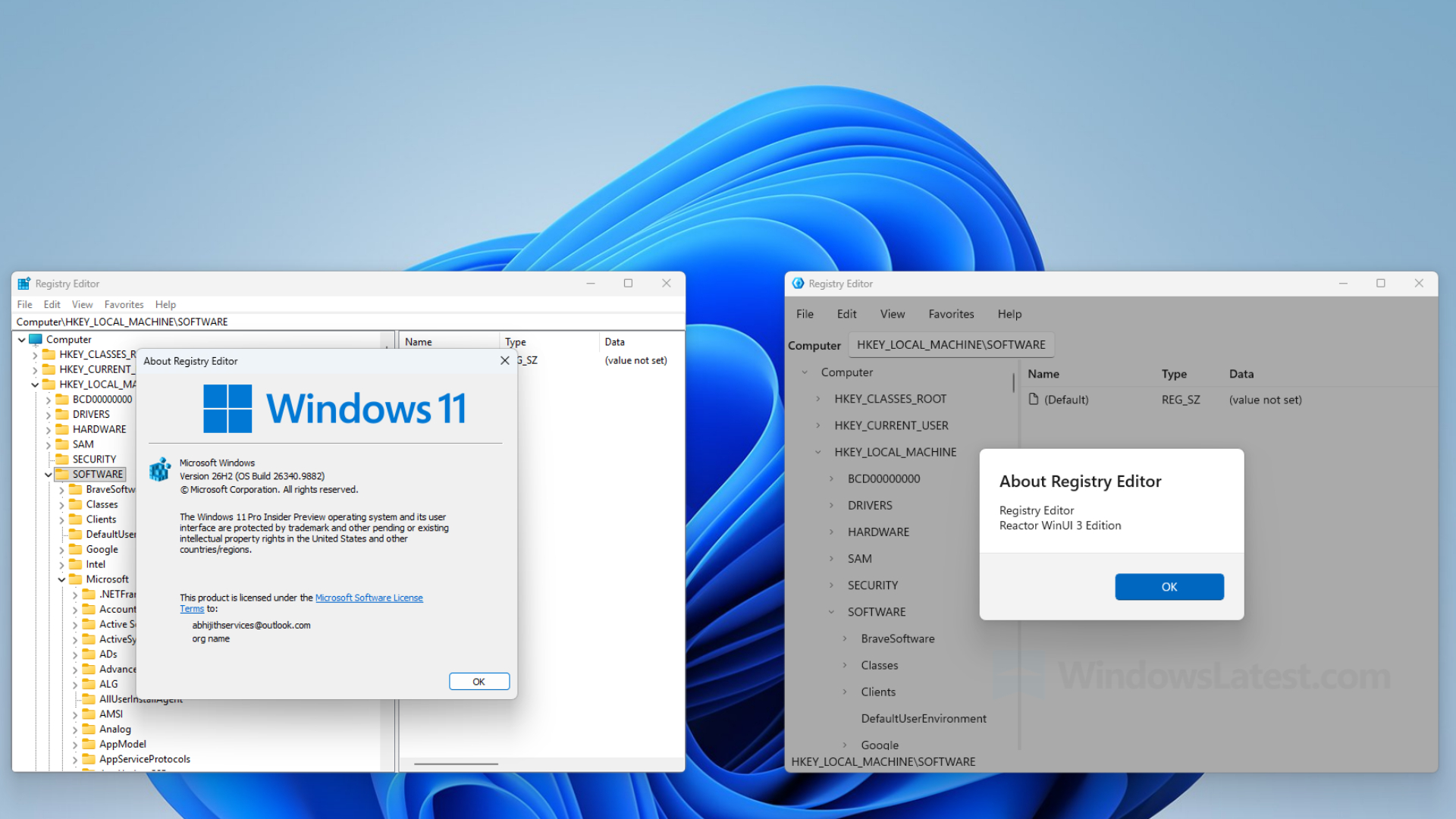
A native WinUI 3 version of Registry Editor has been discovered in MS’s open-source MS.UI.Reactor repository. Once compiled and launched on Windows 11, the application can read the actual Windows Registry while presenting a significantly more modern interface than regedit.exe.
MS briefly mentioned “a registry editor” in an October developer blog post that promised a tour of its sample applications the following month. That tour has not yet appeared, making this an early look at the application running on a PC. However, it remains a developer sample, and MS has not announced plans to replace Registry Editor in Windows 11.

MS’s WinUI Registry Editor Looks Nothing Like the Windows 95-Era Original
The current Registry Editor still relies on the two-pane layout introduced with Windows 95, displaying keys on the left and values on the right. Aside from the address bar added in the Windows 10 Creators Update, its yellow folders, compact menus, and small text have changed very little in three decades.
The WinUI edition retains the familiar two-pane structure, which should help experienced users avoid having to relearn a tool whose basic layout has remained consistent for many years.
Its menus have more space, while the tree view removes the traditional yellow folders. A modern folder icon could eventually improve navigation if the project advances beyond the sample stage. The address bar uses a WinUI text box, and a status bar at the bottom displays the current path, although that information may be redundant. Because this is still a developer sample, the design may change substantially.
On a PC running Build 26340.9882, the application opened quickly and performed about as fast as the existing Registry Editor. Expanding HKEY_CLASSES_ROOT briefly displayed a “Loading…” placeholder before showing keys such as .386, .3gp, and .7z. HKEY_LOCAL_MACHINE\SOFTWARE displayed the same keys and values found in regedit. Menus use WinUI’s fluid animations, and window resizing is smooth.
The Help > About dialog confirms that the application is functional rather than a visual mock-up, identifying it as “Registry Editor Reactor WinUI 3 Edition.”
MS Uses WinUI 3 and a React-Like C# Framework to Rebuild Registry Editor
MS describes Reactor as “an experimental C# framework that brings the MVU (Model-View-Update) pattern to WinUI desktop apps.” In a developer blog post, Principal Software Development Engineer Alexandre Zollinger Chohfi said the objective is “to find out how far MVU can go on WinUI.”
According to MS, Reactor is “not a new UI platform.” Every menu, tree, and dialog in the application uses genuine WinUI controls, with no HTML, Electron, or WebView2 involved. The primary difference is how developers write and structure the application.
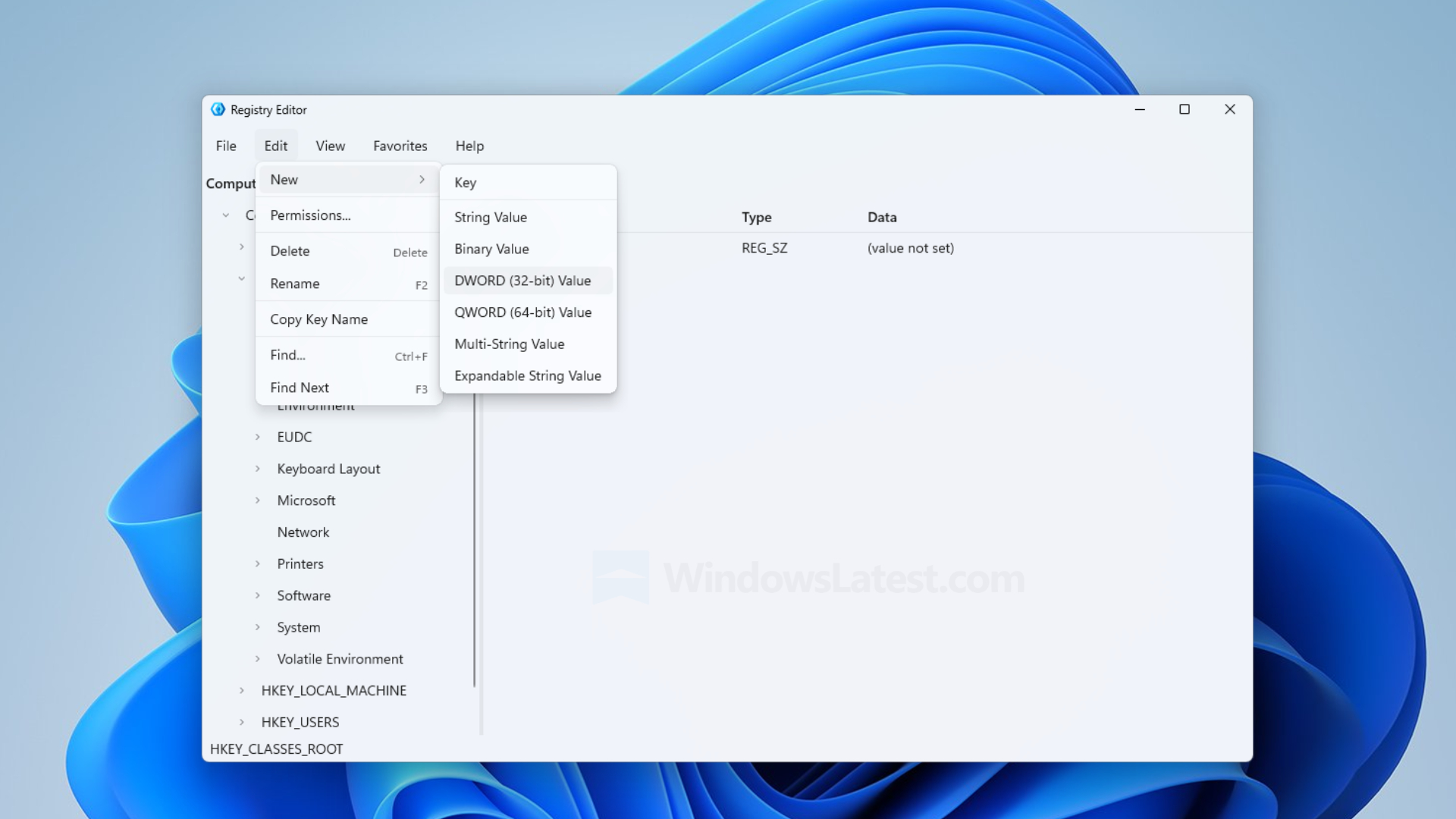
MS did not simply place regedit.exe inside a modern window. In the sample’s source code, a separate RegistryService class reads from and writes to the Registry through .NET’s MS.Win32 APIs. It also handles permission errors so that attempting to access a protected key does not crash the application.
The window uses Windows 11’s Mica backdrop, which samples the desktop wallpaper only once to help preserve application performance.
XAML remains part of MS’s strategy, with the company emphasizing that “WinUI is the foundation.” Concepts proven through Reactor could eventually become part of WinUI itself. MS has positioned Reactor as a simpler way to build native applications, including through the use of AI-assisted coding tools.
The Registry Editor Sample Works, but Several Features Remain Unfinished
The sample can be compiled without changing MS’s application code. Adjusting the build settings to bundle .NET and the Windows App SDK turns it into a self-contained portable folder that runs without requiring additional installation.

MS’s code supports several essential Registry operations:
- Creating, renaming, and deleting keys
- Adding String, Binary, DWORD, QWORD, Multi-String, and Expandable String values
- Searching through the Registry with Find using Ctrl+F
Because an incorrect Registry modification can damage Windows, anyone testing the sample should do so in a virtual machine.
A comment in the source code states that Permissions support is “out of scope for initial implementation.”
MS’s WinUI Modernization Is Reaching Older Windows Tools
The sample does not confirm that MS plans to replace regedit.exe, but it shows that the company is evaluating the possibility. During an August podcast, Marcus Ash, MS’s Corporate Vice President of Design and Research for Windows, said, “Even things like Regedit and some of the tooling, we’ve already started to look at.”
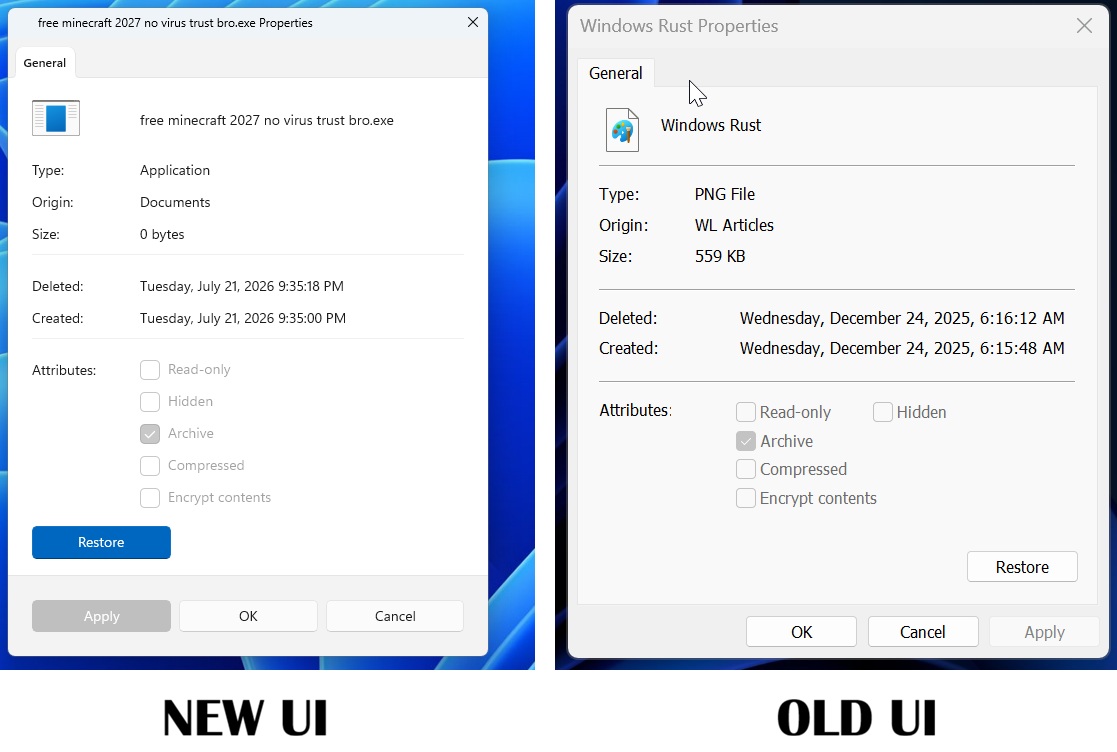
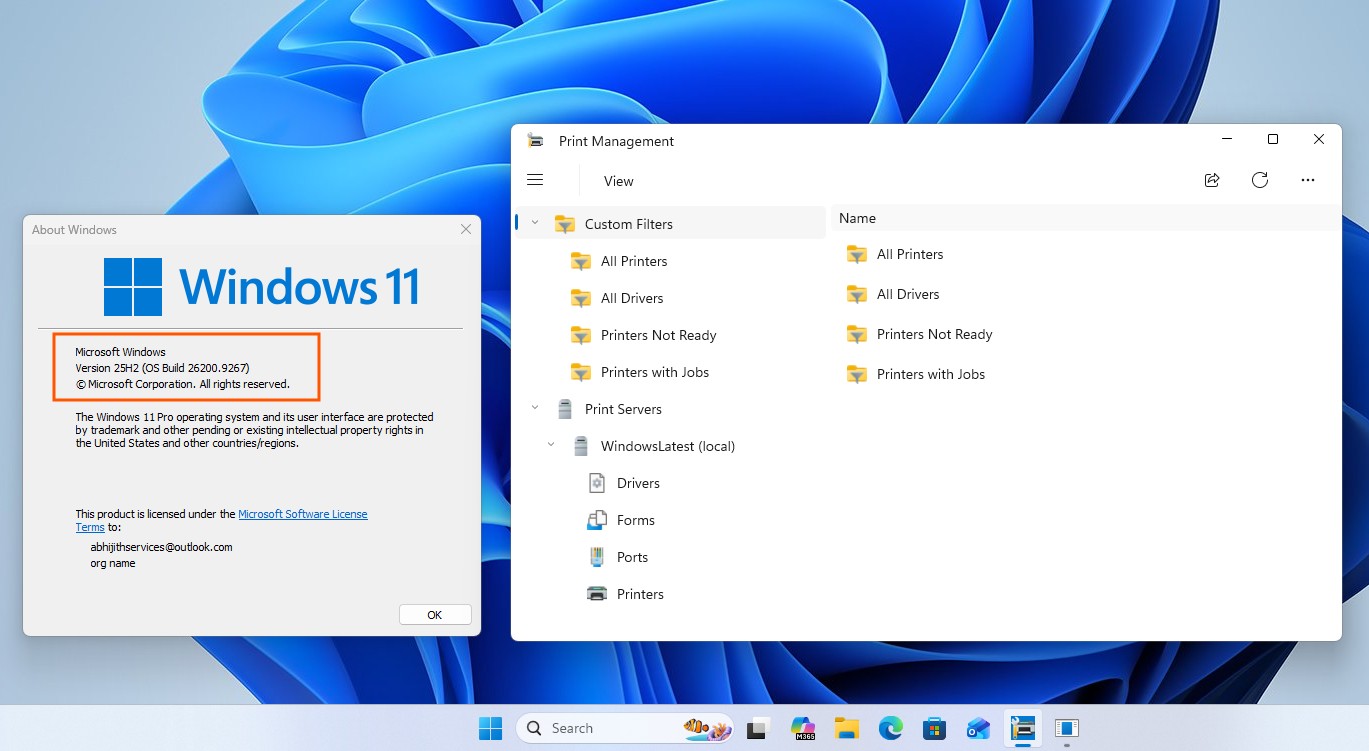
Registry Editor could eventually join a growing collection of Windows components receiving modernized interfaces.
Modernized Windows 11 Properties Interface
WinUI-Based Print Management Tool
Modern Windows 11 Run Dialog

MS’s design team has indicated that more legacy dialogs are scheduled for modernization, although Control Panel is not disappearing yet. The company is also working to reduce WinUI’s memory usage so that modern applications do not become heavier than the tools they replace.
This WinUI sample is the first Registry Editor implementation that feels consistent with Windows 11. It still requires Permissions support, proper handling of .reg files, and extensive testing. Nevertheless, its design provides a credible foundation for a future modern Registry Editor if MS decides to release one.